
ℹ️ Note
StoreConnect v20 introduced significant changes to navigation paths and functions. If you are on an earlier version, we recommend using the Navigation menu in the bottom right.
Open StoreConnect in Salesforce
Search and open StoreConnect in the App Launcher.
Admins - Search and browse StoreConnect
Salesforce admins have special access to the StoreConnect Console, which contains links to all areas of StoreConnect.
Search for StoreConnect Console in the App Launcher, or select the icon in the main StoreConnect Navigation bar.
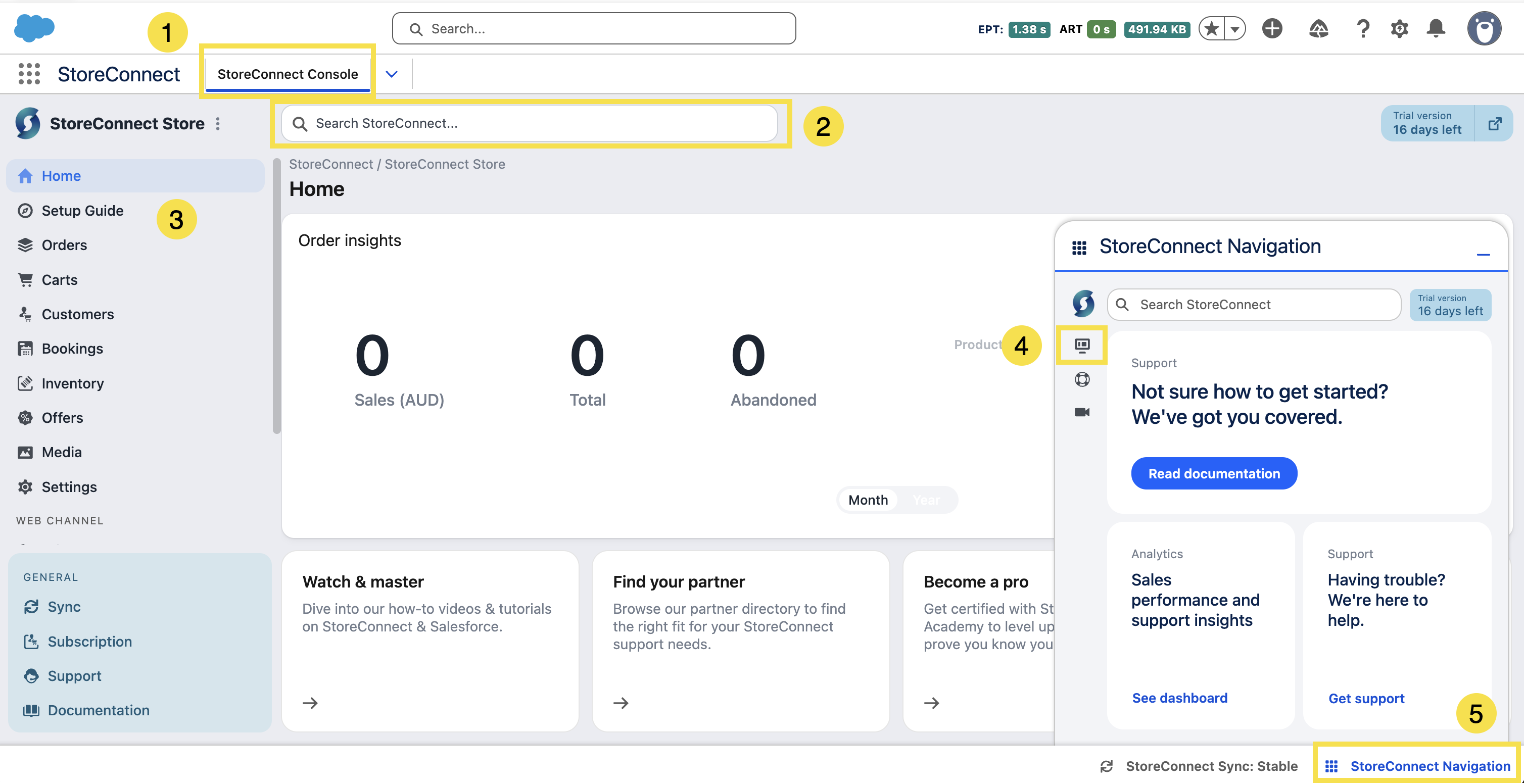
- View of the StoreConnect Console
- Search StoreConnect
- Browse StoreConnect functions and records
- Open the Console via the icon in the StoreConnect Navigation bar
- Open the StoreConnect Navigation menu from anywhere
General users - Search and browse StoreConnect
The navigation items align to the role and access permissions you have in StoreConnect.
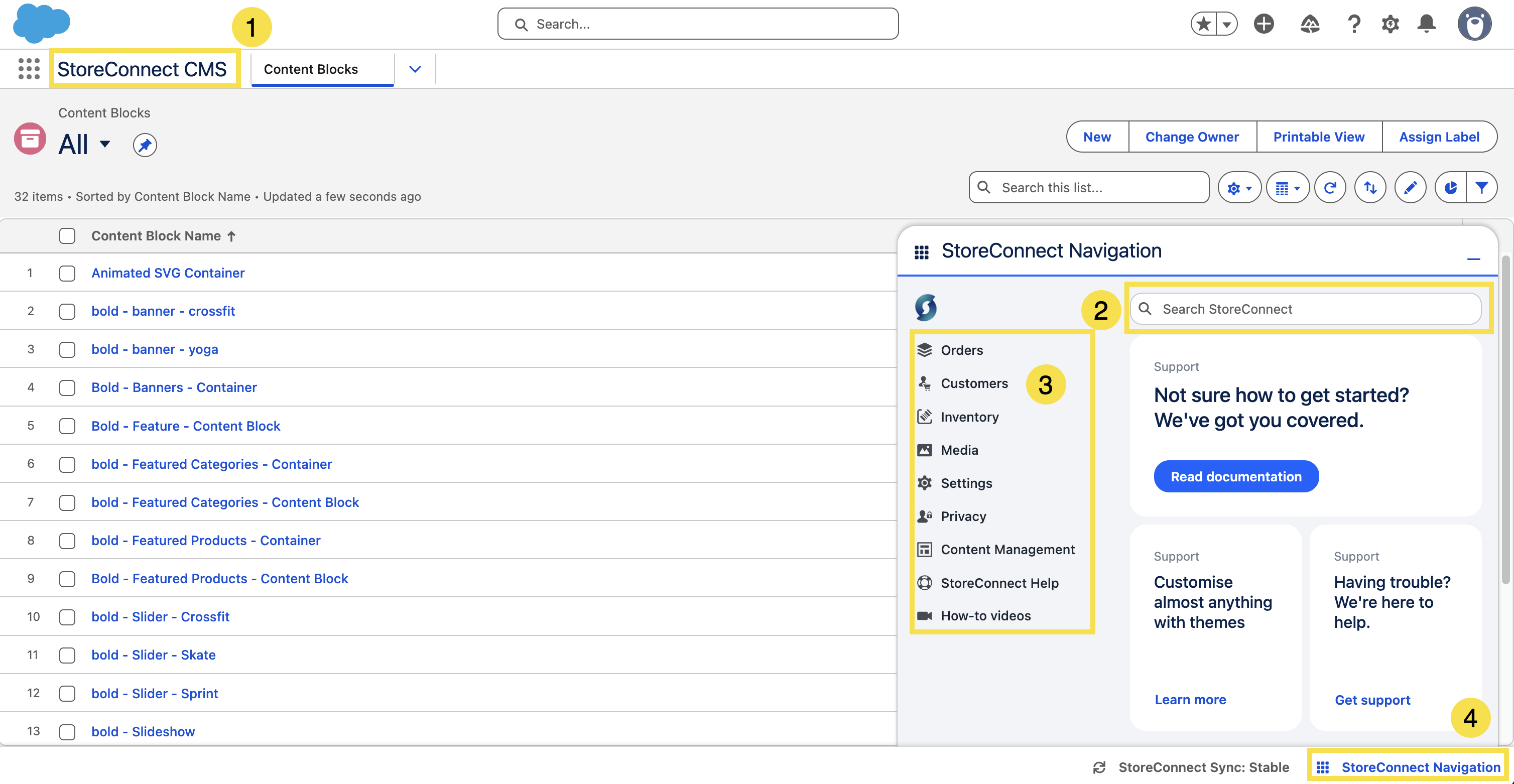
- StoreConnect app
- Search StoreConnect
- Browse StoreConnect functions and records
- Open the Navigation menu from anywhere
Global StoreConnect Search via App Launcher
Search using the Salesforce App Launcher search to locate any StoreConnect object.
Global Salesforce search
As with any window in Salesforce, you can still use the global search bar to access Salesforce functions.