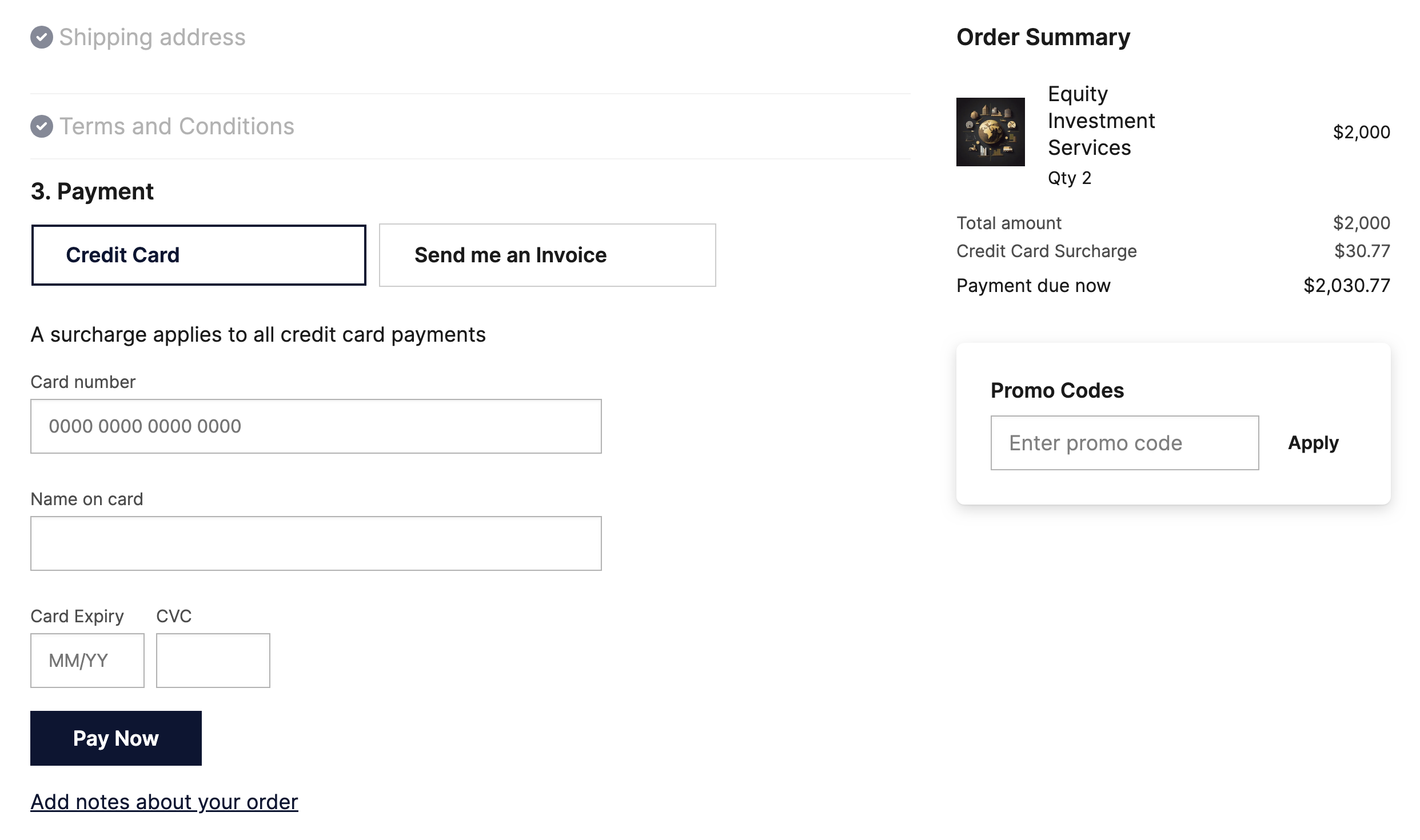
How the surcharge fees work
A surcharge is designed to offset your liability for third party fees, so they need to be calculate to account for all additional charges. This might be formulated as:
Cost of product $100 + Transaction fee (fixed) $2.50 + Merchant fee (percentage) $1.00 (1% of 100) =
Customer pays: 103.50
Net amount: $100.00
Important notes about surcharges:
- Check the regulations in your geography to ensure you are allowed to pass on fees.
- The fee you will pay your provider will be based on the total of the order plus the fee you charge (the total amount paid by the customer including any surcharge). To cover this, and so the amount that lands in your bank account matches the order amount (minus the surcharge), the percentage charged to your customer is always slightly higher than the percentage charged to you. You should avoid specifying an exact percentage for the surcharge as it can differ depending on the order amount and especially if a flat fee is payable on top of a percentage.
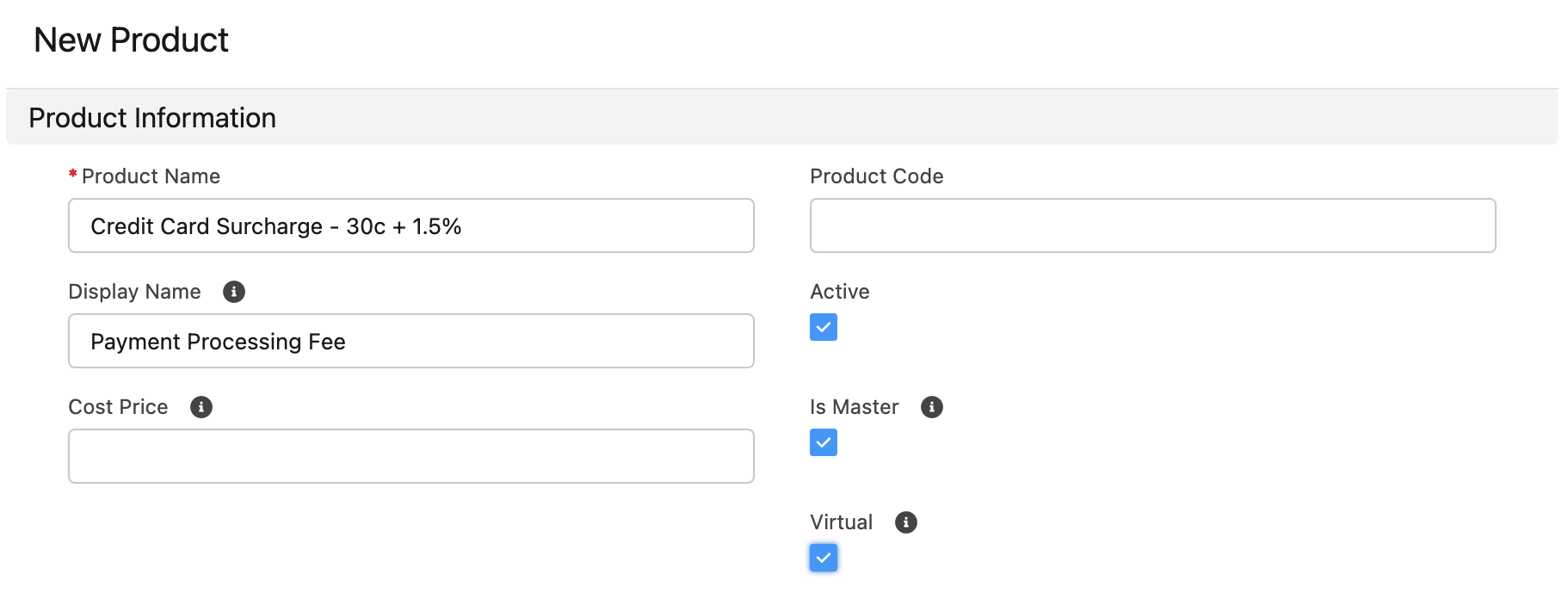
Create the surcharge product
- Create a product and give it a display name that the customer will recognize, like Processing Fee.
- Make sure your product is Active.
- Set it as a Virtual product.
- Make sure to set an Available On date prior to today.
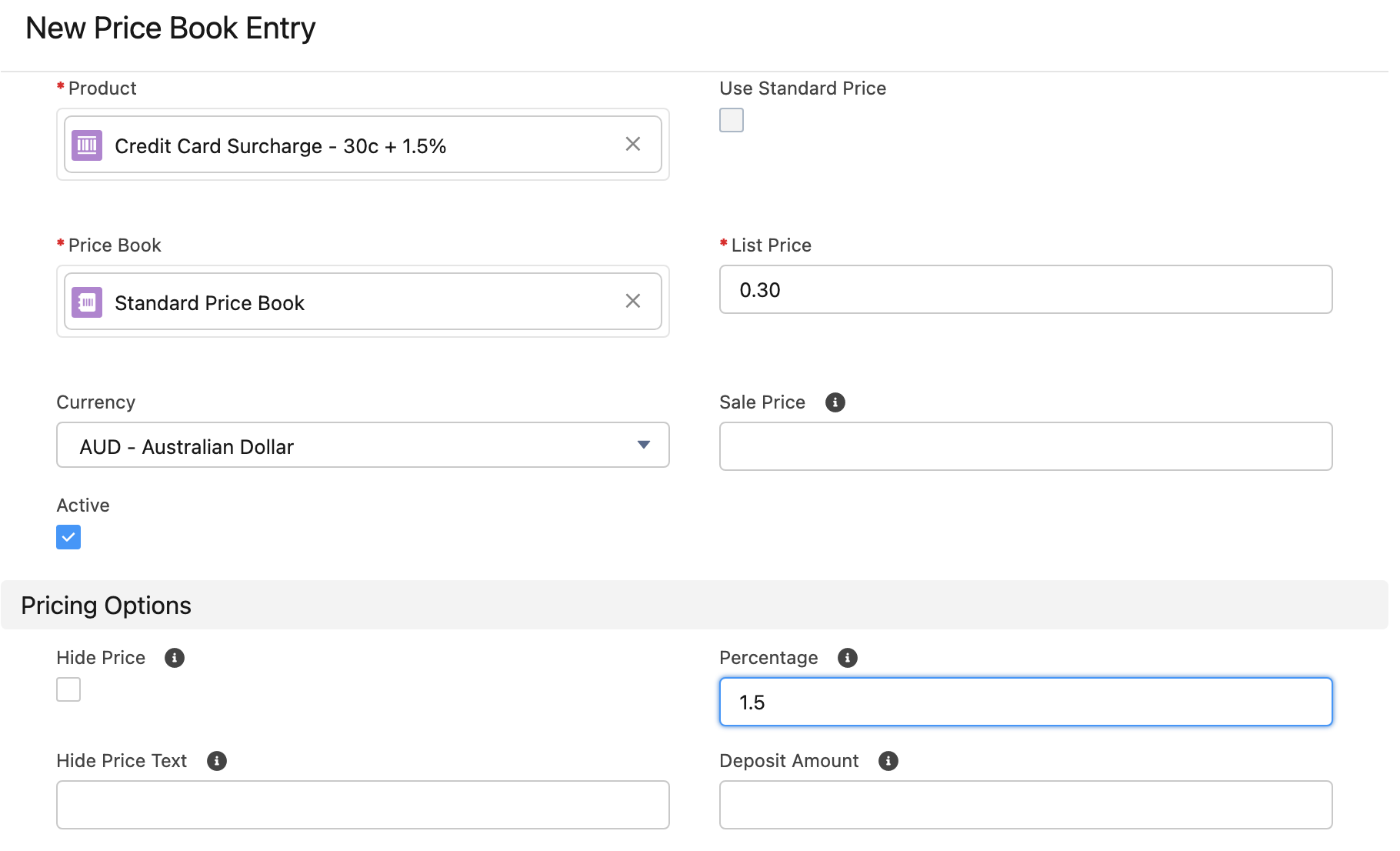
Set the fee amount in the Price Book entry
- Create a Price Book Entry for each price book and currency you need it for.
- For the flat fee, set the list price, this can be $0 if there is no flat fee or something like $0.30, etc. based on what your provider charges you.
- Set the percentage your provider charges you, like 1.5%.
- Do the same for each price book that you intend to charge the surcharge for, including Account- or Membership- specific price books and any other currencies.
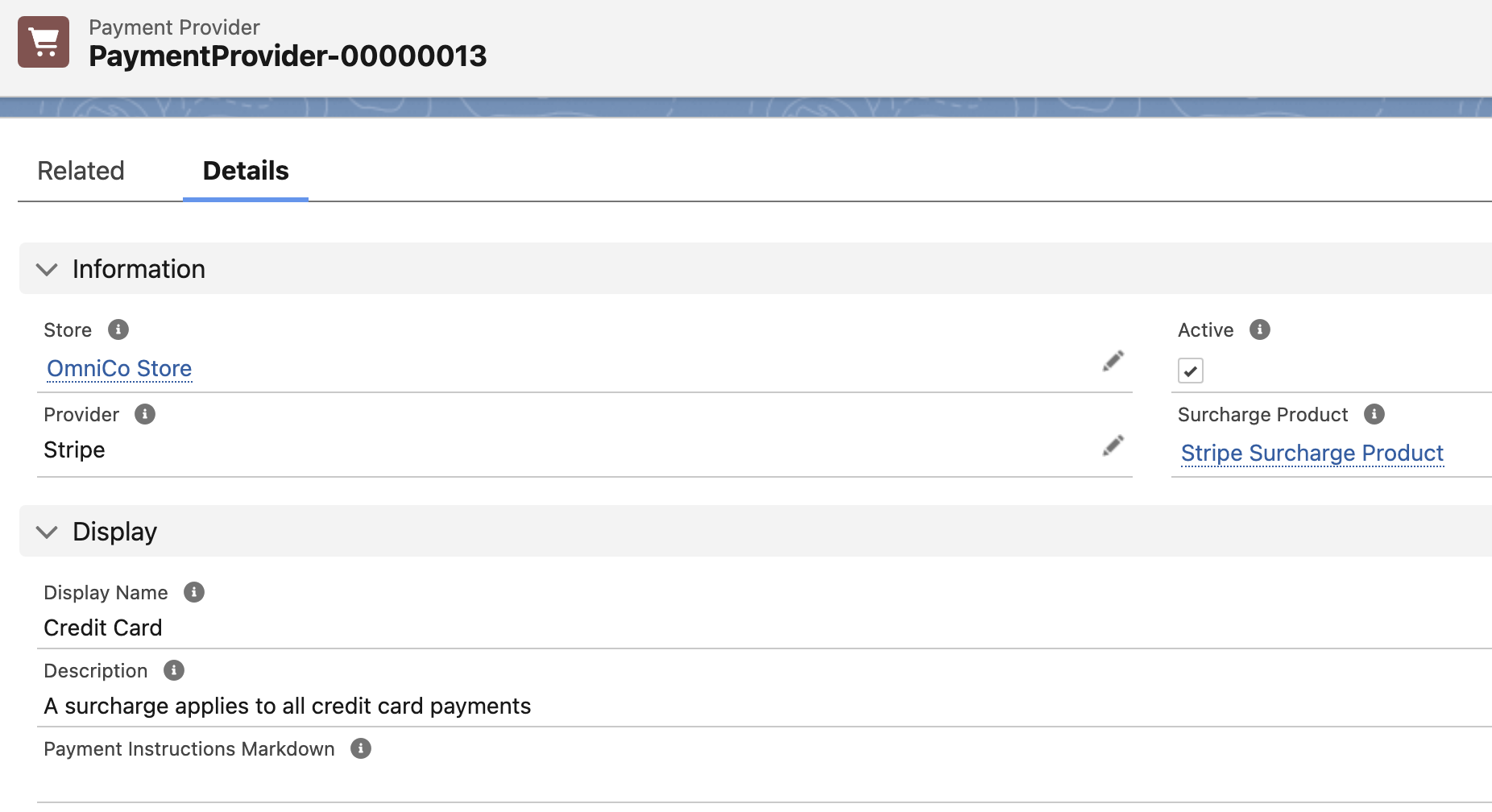
Set the surcharge product in payment provider record
- Open the Payment Provider record, set the Surcharge Product you just created.
- Add a description if you want to let your customers know there is a surcharge.
- Do the same for each Payment Provider for each store that this applies to.
How a surcharge appears at checkout