
When adjusting the price at checkout, you can either reduce the price of the whole order, or an individual item.
Allow staff to apply discounts
When you set up staff as POS users, you can define the limits of the discounts they can apply. See add a POS user.
Adjust the price of an item
- Select the item in the checkout cart. A list of options opens.
- Select Adjust Price. A popup appears.
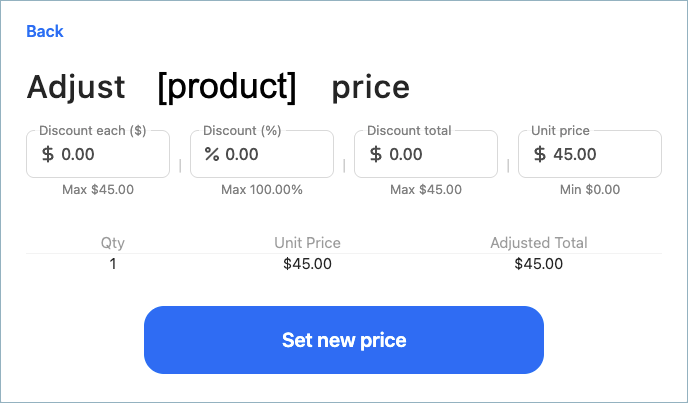
- Enter a discount in a currency amount or in a percentage discount.
- Select Set new price. The item amount is updated in the checkout.
- Repeat for any other item you want to adjust the price for.
Apply a discount to a total order
- In the cart, select Manage Cart.
- Select Adjust Price. A popup appears.
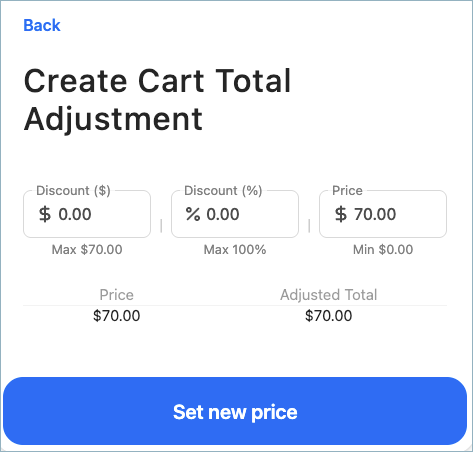
- Enter a discount in a currency amount or in a percentage discount.
- Select Set new price. The checkout amount due is updated.