
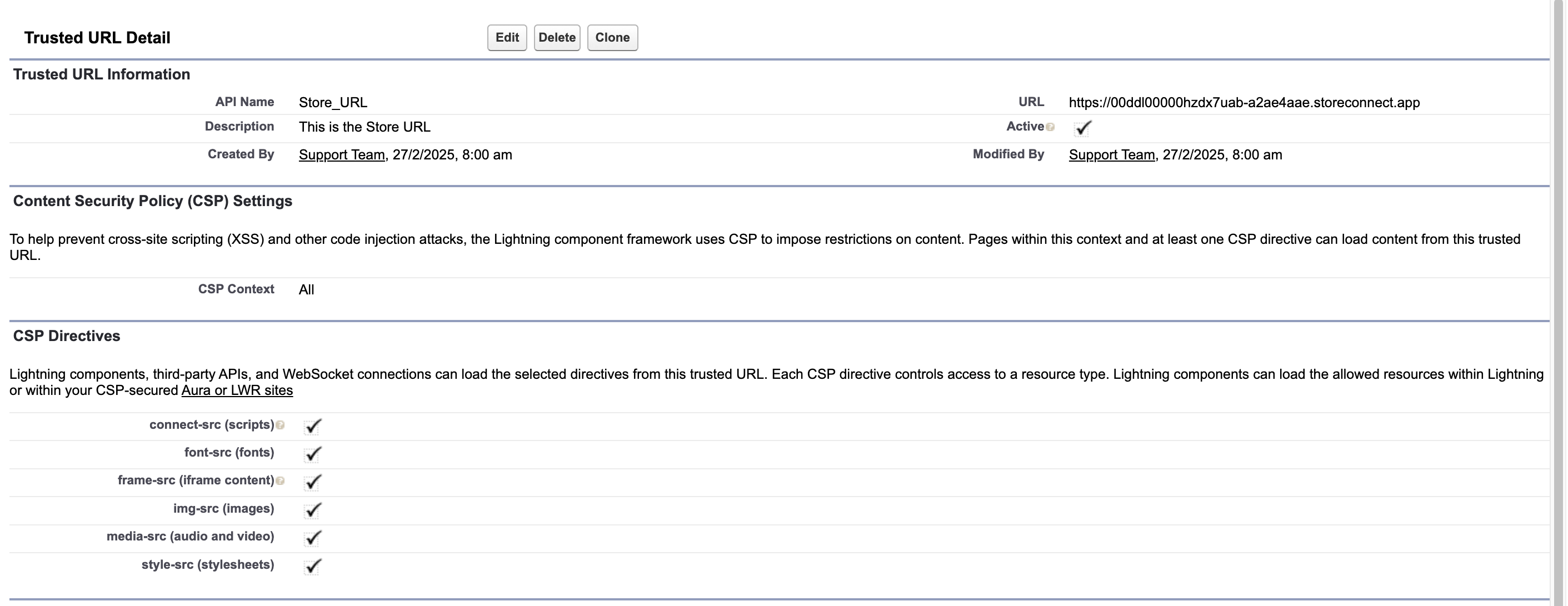
To use the Take Payment button on Orders, Salesforce must first be configured with the Trusted URLs of your Stores Website to allow secure communication with your configured payment provider(s).
Steps to configure a trusted URL:
Navigate to Setup in Salesforce.
In the Quick Find box, search for CSP Trusted Sites and select it.
Click New Trusted Site.
Enter a Trusted Site Name (e.g., "StoreConnect Domain").
In the Trusted Site URL field, input the URL of your website.
Select all CSP Directives.
Click Save to apply the configuration.
For more details, refer to Salesforce’s CSP Trusted Sites documentation.