
The following procedure is to process a payment where account credit is available. To charge an amount to an account without credit, see the pay on account procedure.
Complete a purchase using account credit
- In the checkout cart, select Add customer option.
- Find the customer in the list, they should already exist and have an account.
- In the cart, select Pay [amount].
- Select Account Credit as the payment method. The balance available should be displayed.
- In the Source field, select the relevant balance.
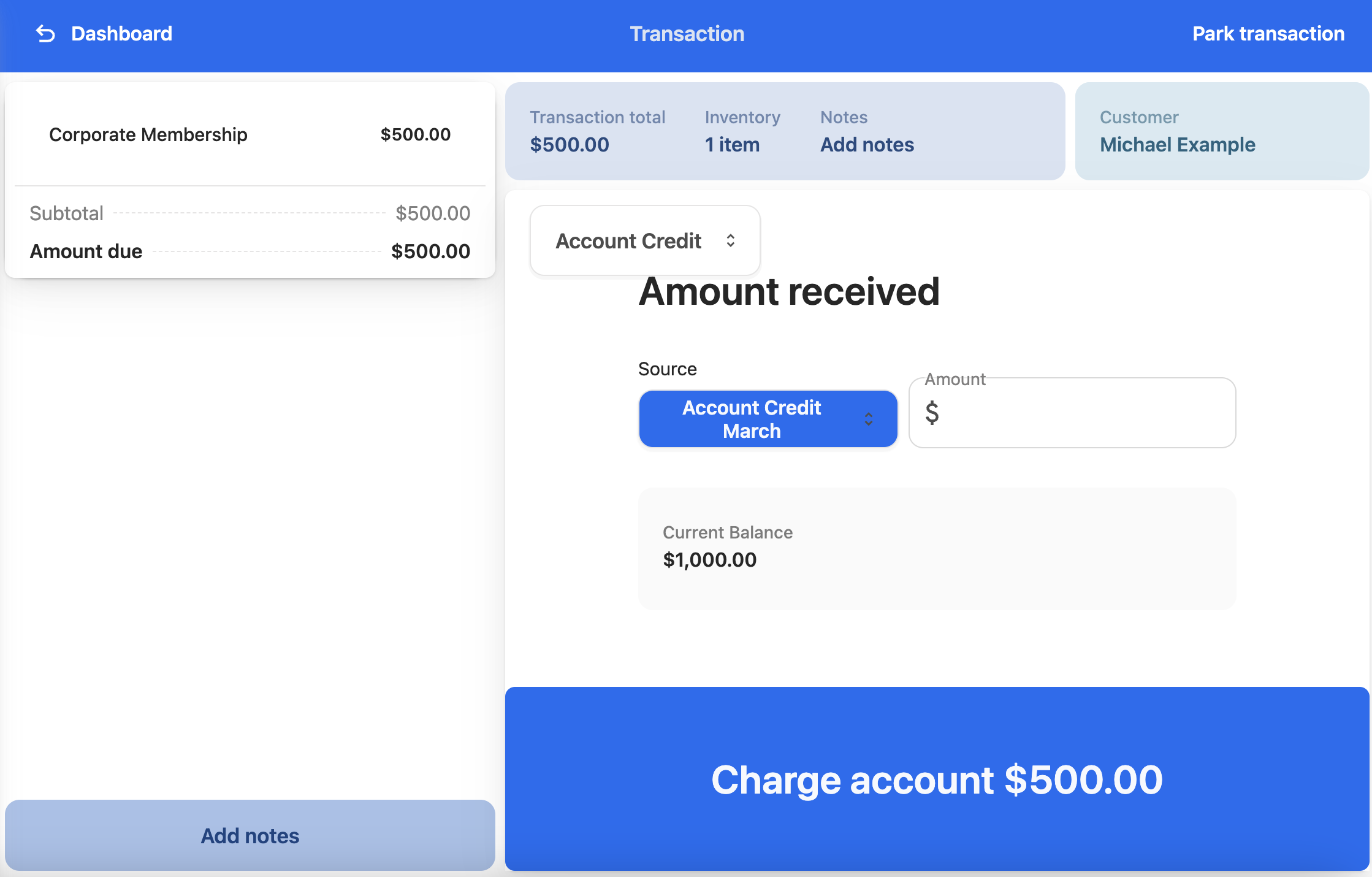
- In the Amount field, enter the amount being used on the account, e.g. the transaction total.
- To complete the transaction, select Charge account [amount].
- Issue a receipt as you normally would.
For more information on how to configure an account to be able to use Account Credit, see How to offer store credit.