
What is a price book?
A price book is essentially a catalogue of prices. You can have multiple price books, depending on your client-base. For instance, you could have: 1) a wholesale, 2) retail and 3) online price books. See product-pricing or check out the Salesforce Trailhead to learn more about creating and managing Price Books.
When you put this together with StoreConnect’s ability to create multiple stores within the one Salesforce Org, using Price Books means no matter how many stores you create, you will always be able to create a suitable pricing structure for your store.
Use the StoreConnect price book page layout (required)
When you first create your store in StoreConnect, update the default Salesforce Price Book Page Layout, and select the StoreConnect Price Book Page Layout instead. This gives you additional functions for managing price books and pricing.
Open any Price Book.
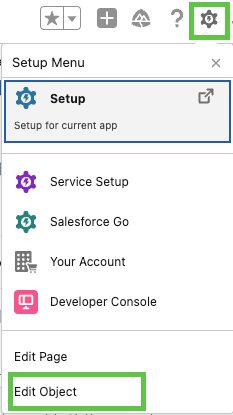
Go to the Setup menu and select Edit Object.
Select Page Layout in the side menu.
Select Page Layout Assignment in the top right.
Select Edit Assignment.
Click, hold, and drag to select all the Profiles in the list.
Select SC Page Layout in the dropdown menu and hit Save. See video below.