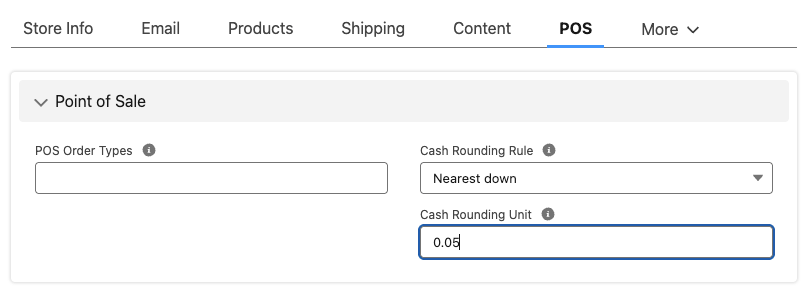
If you are required to apply rounding to sales transactions in your relevant currency, you'll need to do this step to set up POS in StoreConnect. If your currency does not require rounding, there is no need to configure this.
You can also show the rounding details on page layouts to display to customers if required.
What is rounding?
The rounding unit is the amount in your currency that you would be rounding up or down by. For example, Australia’s smallest denomination in cash is $0.05 and cash amounts are rounded to the nearest 5 cents. In this case you would set the Rounding Unit to 0.05.
Choose the rounding rule that applies to the region your outlet is in.
Cash rounding rules
The table below shows the cash rounding rules where 0.05 is the cash rounding unit.
| Rule | Behavior | Example input | Rounded Result |
|---|---|---|---|
| Always Up | Always go to next 0.05 | $10.02 | $10.05 |
| Nearest Up | Nearest 0.05 (midpoint up) | $8.93 | $8.95 |
| Always Down | Always go to previous 0.05 | $12.04 | $12.00 |
| Nearest Down | Nearest 0.05 (midpoint down) | $9.93 | $9.95 (nearest), but $9.925 → $9.90 |
Configure cash rounding
- In your StoreConnect store, select the POS tab.
- Select the Cash Rounding Rule.
- Enter the Cash Rounding Unit.
- Select Save.