

Add a register to an outlet
On this page
A register allows you to connect a device to an outlet and store, so your staff can process transactions. You can have multiple registers per outlet.
To add a register to an outlet
- From your store in Salesforce, go to POS > POS Outlets.
- Open the outlet you’re adding the register to.
- In the Related > Outlet Registers section, select New. The New Register window opens.
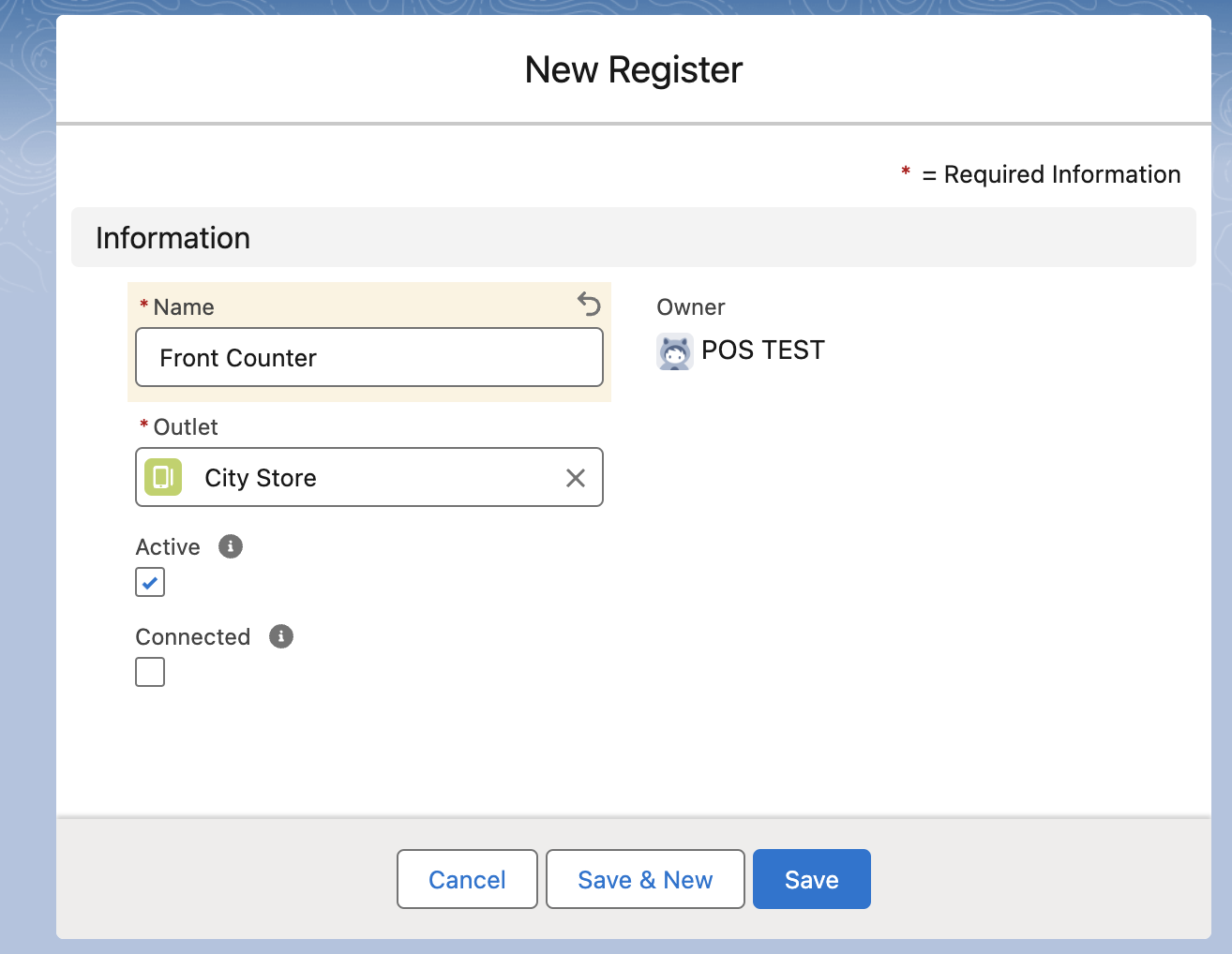
- Give the register a Name and select the Outlet.
- Ensure the Active option is selected but leave the Connected option unchecked.
-
Select Save.
Was this article helpful?
Thanks for your feedback! It helps us improve our docs.