Require terms & conditions acceptance at checkout
- Create a new page and call it something like Terms and Conditions. This is where you'll enter you store's policies, detailing the terms and conditions that customers must agree to.
- Once the page is ready, open and edit your Store record.
- In the Content Management System section, select the page you just created in the Checkout Terms & Conditions field.
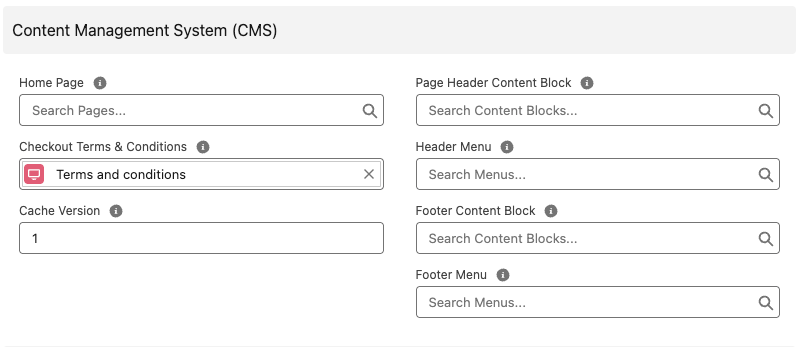
- Select Save. Terms and conditions should now appear at checkout, with a checkbox requiring acceptance by shoppers.
Last updated May 11, 2026
