StoreConnect provides a default content structure for product pages on your site. The default content structure include product images, pricing info, purchase actions, etc. It also includes an optional set of customizable components, including product tabs.
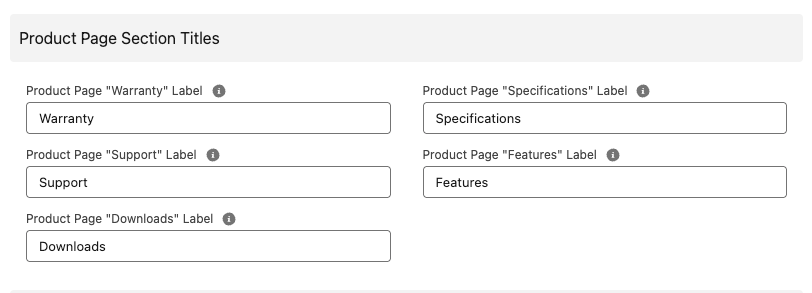
Each tab represents particular product info, by default, these are named Features, Specifications, Downloads, Support, and Warranty, etc. You can change what the tabs are called and what they contain, to suit your business needs.
Pre-requisites
Before you can customize the product information tabs, you need to update the page layout for products.
Customize product tabs
- Go to your store object and select Edit.
- Scroll to the Product Page Section Titles area.
- Update the labels you want.
- Save.