
StoreConnect Sync, often abbreviated to SCSync, is a proprietary feature designed to keep your website and Salesforce data synchronised. When new orders are placed, both the order details and customer information are directly synced to your Salesforce org. Similarly, changes made from the website are synced back to Salesforce seamlessly.
Sync speed
Sync speed varies depending on the direction of the update.
- Downstream (Salesforce to Website)
- Downstream synchronisation from Salesforce to the website usually takes around 5 seconds on most cases, up to 2 mins during increased traffic periods. Exceptions like Price Book Entry and CPQ objects sync on a 10-minute schedule but can be triggered manually.
- Larger datasets (ie. syncing more than 5000 rows) usually take 10-30 seconds per 5000 rows.
- Upstream (Website to Salesforce)
- Upstream synchronisation from the website to Salesforce can take longer due to client-defined automations, validations, and flows, which may introduce additional delays. On cases where there are no automations, this usually takes 10 seconds to 2mins to sync.
Sync sequence
In some cases, updates to data can occur in multiple steps due to the nature of asynchronous and individual record synchronization. This means that dependent records might be synced after their parent records. Several factors can contribute to delays in this process:
- Asynchronous Syncing
- Each record syncs on its own schedule, which means a child record (one that depends on another) might not update immediately after its parent record. This asynchronous nature can cause delays in the dependency chain.
- Automation and Errors
- Automated processes or errors can extend synchronisation time. For example, if an automation script hits a snag, it might need to retry the operation, thereby lengthening the synchronisation process.
- Management of potential delays or failures
- The system uses change events to store records during synchronisation, this approach allows for error handling.
Change events
A Change Event is a StoreConnect record that contains any change (creation/update/deletion) that occurred to other StoreConnect-supported records either in Salesforce or on the website. If an account has updated its name (or any other SC-supported field), a Change Event record would be created containing the changes (new name) and the action that occurred (update). This record ensures that Salesforce and the website remain synchronised for all SC-supported records. Once in a while, errors occur during sync caused by validation, custom flows, etc. These sync errors result in Change Events being preserved, allowing users to debug before attempting a re-sync.
- Error Handling
- If there's an error during synchronisation, the data isn't lost; Change Events with errors are preserved and can be reviewed using the "StoreConnect Sync Errors" feature to manually resolve issues.
- Resolution Time
- The longer a sync error remains unresolved, the longer any related changes from the website will be marked as sync errors, preventing updates until the initial error is fixed.
- Manual Correction
- The actual syncing won't happen until the error is manually handled, which adds another layer of variability to the process.
Sync errors
When a record fails to synchronise from your website to Salesforce, StoreConnect Sync, a built-in feature, is designed to help identify and resolve these issues. When a synchronisation error occurs for an object, any further updates from StoreConnect are marked and logged in the sync errors log, these will remain visible until the initial error is resolved.
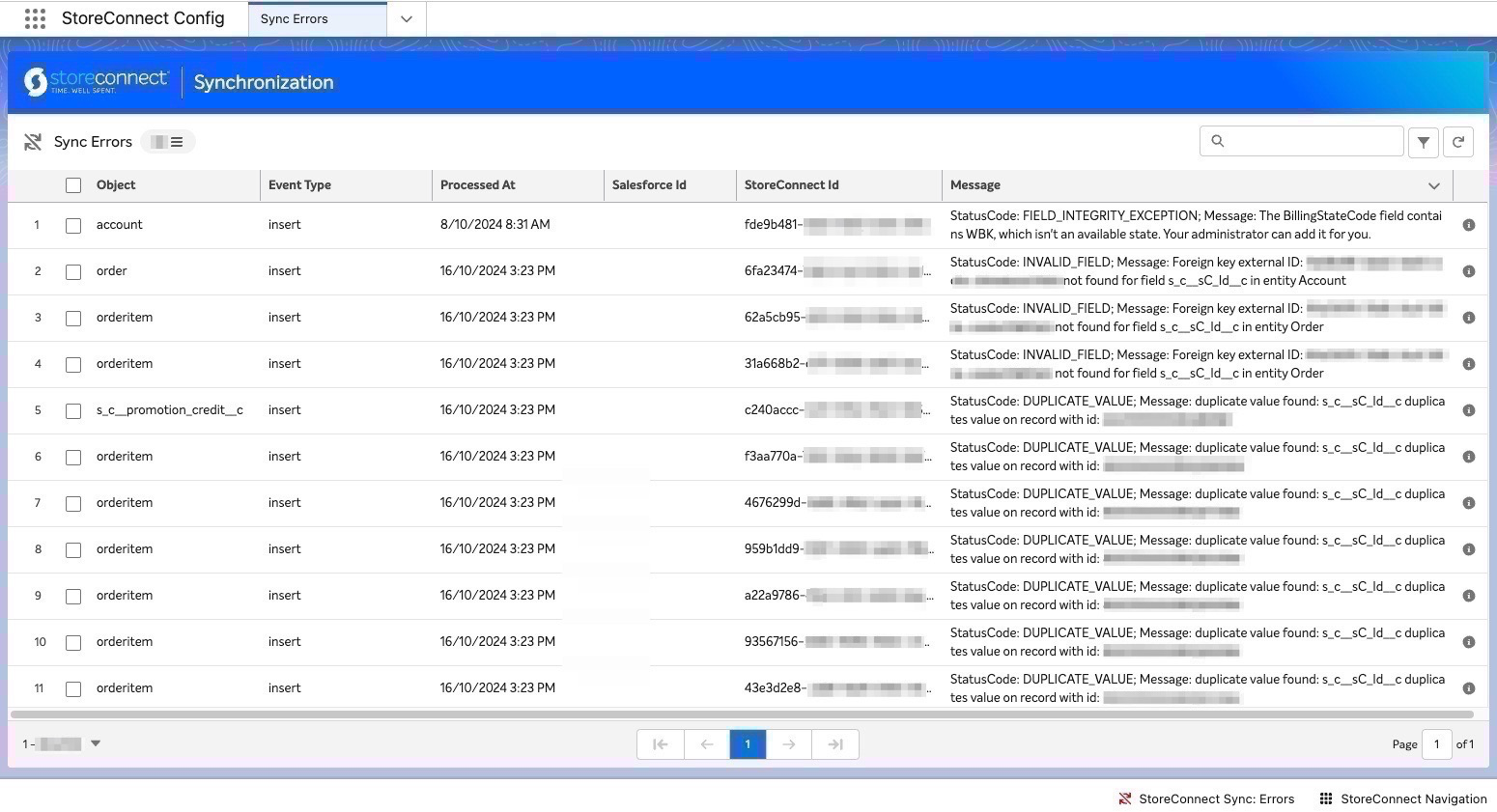
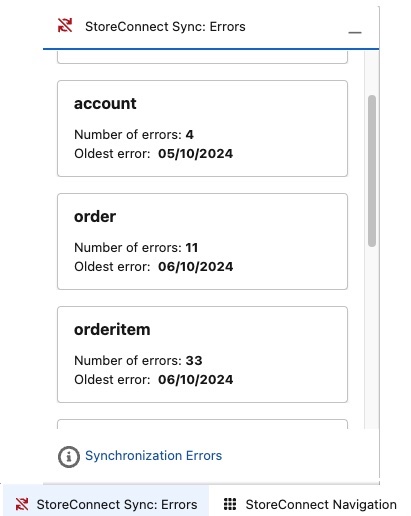
A Sync Error notification will be visible on the bottom of any StoreConnect app. You can also add the utility to any of your own console apps.
Automation best practices
When designing automations that interact with StoreConnect Sync, follow these best practices to avoid sync failures:
Asynchronous considerations
- StoreConnect Sync operates asynchronously, meaning records do not necessarily sync in sequential order.
- Dependent records (e.g., Shipment and OrderItem) may sync at different times.
Best practices
- Design Idempotent Automations – Ensure automations work independently to handle re-syncs and retries.
- Implement Flexible Triggers – Allow automations to handle updates regardless of record sync order.
Related articles
How to Detect and Solve Sync Errors
what-records-sync-to-your-website
Glossary of terms
Asynchronous Syncing: Synchronizing data without requiring all actions to occur simultaneously, allowing independent operations to proceed without waiting for each other.
CPQ - (Configure, Price, Quote): A Salesforce product - For StoreConnect, this usually refers to product bundles and the extra objects related to this.