

Simple donation theme
On this page
The Simple Donation theme is specifically designed for nonprofit organizations looking to deliver an optimized user experience, perfect for quickly capturing donations or selling their products efficiently. With this theme, you can amplify your mission’s impact by streamlining contributions and purchases.
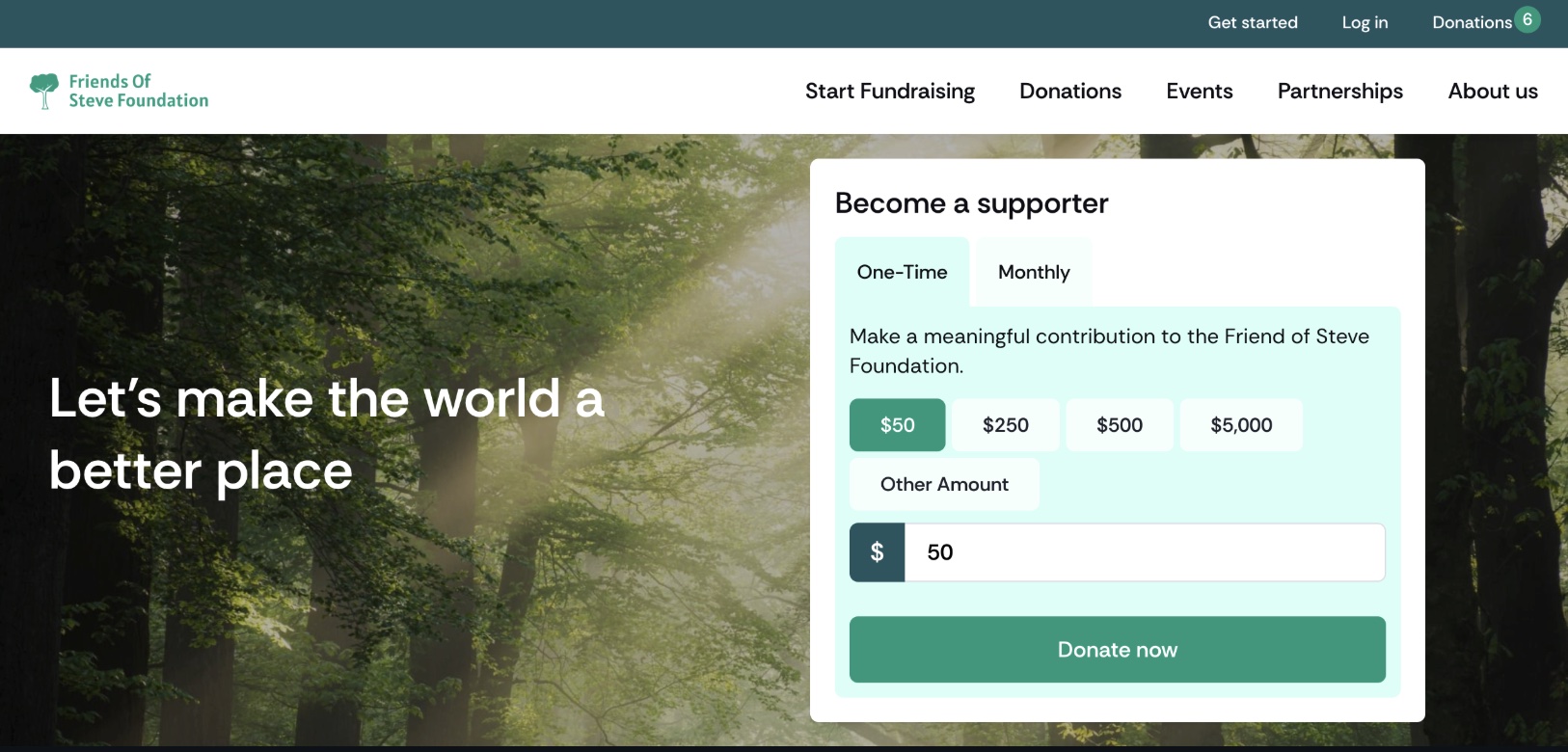
Key features
1. Image with overlay and donation box
Highlight impactful visuals by adding a donation box directly over images, making it easy for users to contribute.
2. Single campaign cards
Showcase individual campaigns with dedicated cards. Link a product to the content block, and the template will handle the rest for you.
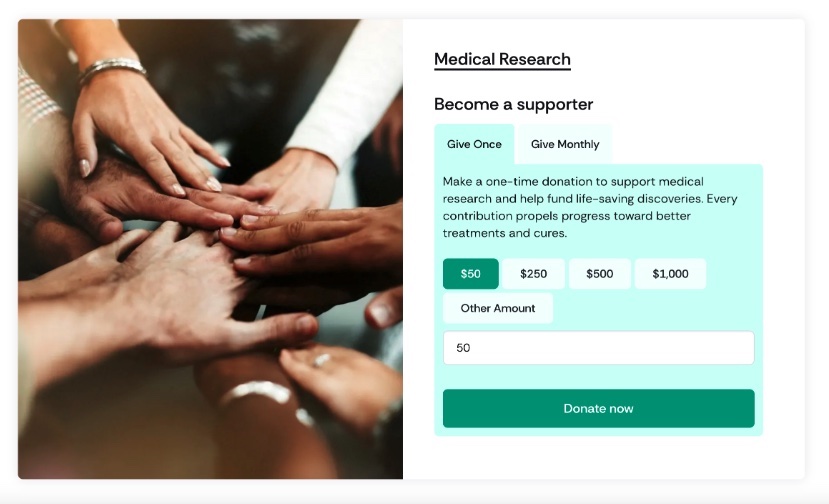
**
3. Variable Pricing Picker**
Allow users to select their own donation amount with a flexible pricing picker. Perfect for donation products that offer custom contributions.
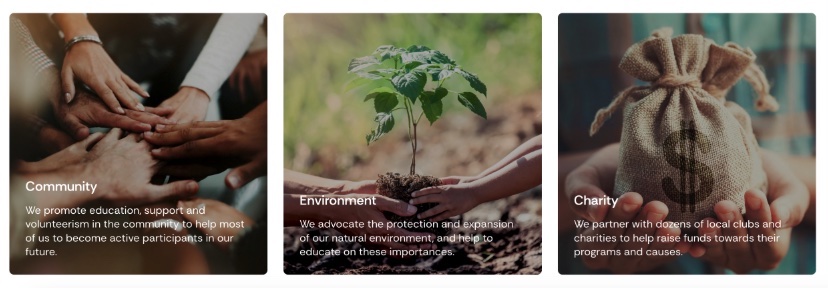
4. Images with titles and content
Add titles and supporting text to your images to create visually compelling sections that deliver powerful messages.
**
5. Top Header**
Include quick-access links for essential actions like:
- Get Started
- Account Access
- Shopping Cart

**
6. Product Page Templates**
Easily choose from various page templates to suit your needs:
- Content-Type Pages: Ideal for structured layouts.
- Full-Width Landing Pages: Ideal for standalone pages for single campaigns and landing page designs.
7. Progress bar
Show the progress of your fundraising goals with a visually appealing progress bar. Use it for individual campaigns or display a global campaign progress tracker to keep donors engaged.

**
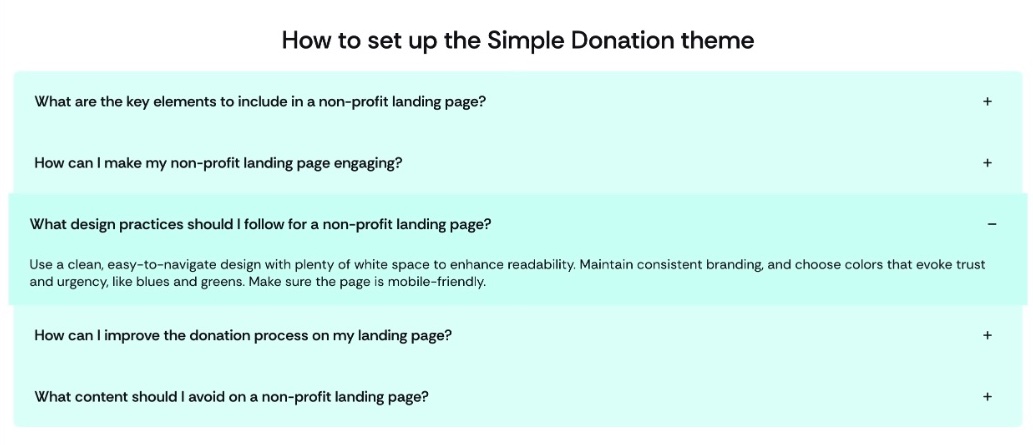
8. Accordion**
Organize and display custom content with an interactive accordion.
Perfect for:
- FAQ sections to address common questions.
- Encapsulating additional information for donation products or merchandise.
9. Featured donations
Highlight key campaigns with a featured donations carousel. Showcase outstanding donations to promote them and provide quick access to their respective pages.
:::note The progress bar selector and page templates picklist may require minor additional configuration for your organization. :::
Modified content block templates
- container
- featured_products
- image
- image_beside_text
- image_text_overlay
- slideshow
New content block templates
- accordion
- donation_card
- donation_progress_bar
Refer to Adding your own custom content block templates to add the new templates to the Template picklist.
How to start building your content with the simple donation theme
Before getting started, note that some templates will require additional configuration within your organization upon installation.
Each template supports specific fields and options when setting up your content blocks. Below, you’ll find a list of supported fields. Keep in mind that you can continue using the rest of the out-of-the-box templates to build your site. Consult the content block templates help article for a complete overview of the supported fields for each template.
Supported fields and relationships
Accordion
Supported Fields:
- Title
- Content
Container
Supported Fields and Values:
- Alignment
text-center: Centers the headline and call-to-action if populated.
- Title
- Subtitle
- Child content blocks
- Link label and target
Donation card
Primary Uses:
- Relate a product to dynamically populate the image and content.
- Provide custom content by not linking a product.
Supported Fields:
- Product: If a product is linked, no image or content needs to be manually set. The product relationship also generates a donation box with a variable pricing picker if the donation product supports custom donations.
Optional Fields (for Custom Content):
- Image
- Title
- Subtitle
- Content
- Link target and label
Donation progress bar
:::note Setting up the progress bar requires additional configuration for your organization. We provide support documentation and guidance only. :::
To create a global donation bar, configure two global custom fields at the store level:
Donations_Total__cDonation_Target__c
Once set up, create a content block using the donation progress bar template and assign it to the page where you want the progress bar to display.
Featured products
Supported Fields:
- Title
- Link target and label
- Products (Relationship Type)
- If 4 or fewer products are related, a grid layout is displayed.
- If more than 4 products are related, a carousel is displayed.
Image beside text
Supported Fields:
- Image
- Title
- Subtitle
- Content
- Link target and label
Image text overlay
Supported Fields:
- Title
- Subtitle
- Content
- Link target and label
- Type Field:
- “Set the background color” applies an overlay and changes the font color to white.
- Product (Relationship Type):
- Displays a donation box on the right side.
- Alignment:
- Center, left, or right.
- Video (takes precedence if both an image and video are provided).
- Image
Image
Single images now support the following fields:
- Image
- Title
- Content (used as a caption)
- Link label and target (if set, turn the entire image into an anchor link with a hover effect)
Translation keys
Running a nonprofit store may require aligning text to your industry standards. By default, StoreConnect provides a comprehensive list of translatable strings you can configure to suit your needs.
For example:
- Replace “cart” with “basket.”
- Use “donor” instead of “customer.”
The Simple Donation theme includes a predefined set of translation keys, but you can extend them using our base theme as a reference.
Variables
Activate or deactivate specific components by modifying the following variables. If a variable is not set or set to false, the component will not display.
product.social.share:activestore.allow.promo.codes:false