

Test your agent internally
On this page
There are a number of ways to test an agent: in the Agent Builder, Testing Center or via the live agent. The procedure below explains testing via the Agent Builder.
Set the testing context
-
Open the agent in the Agent Builder.
-
Open the Conversation Preview screen.
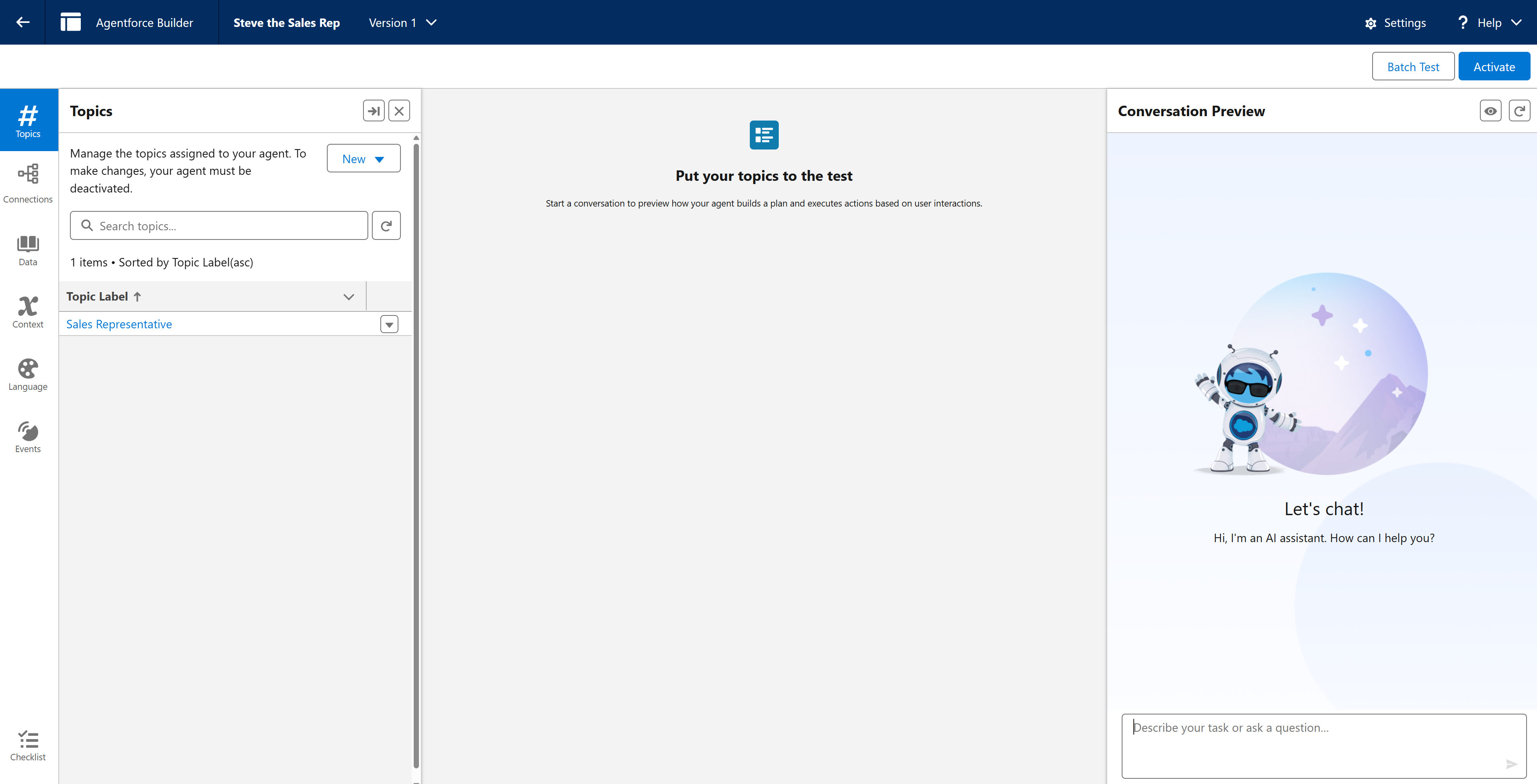
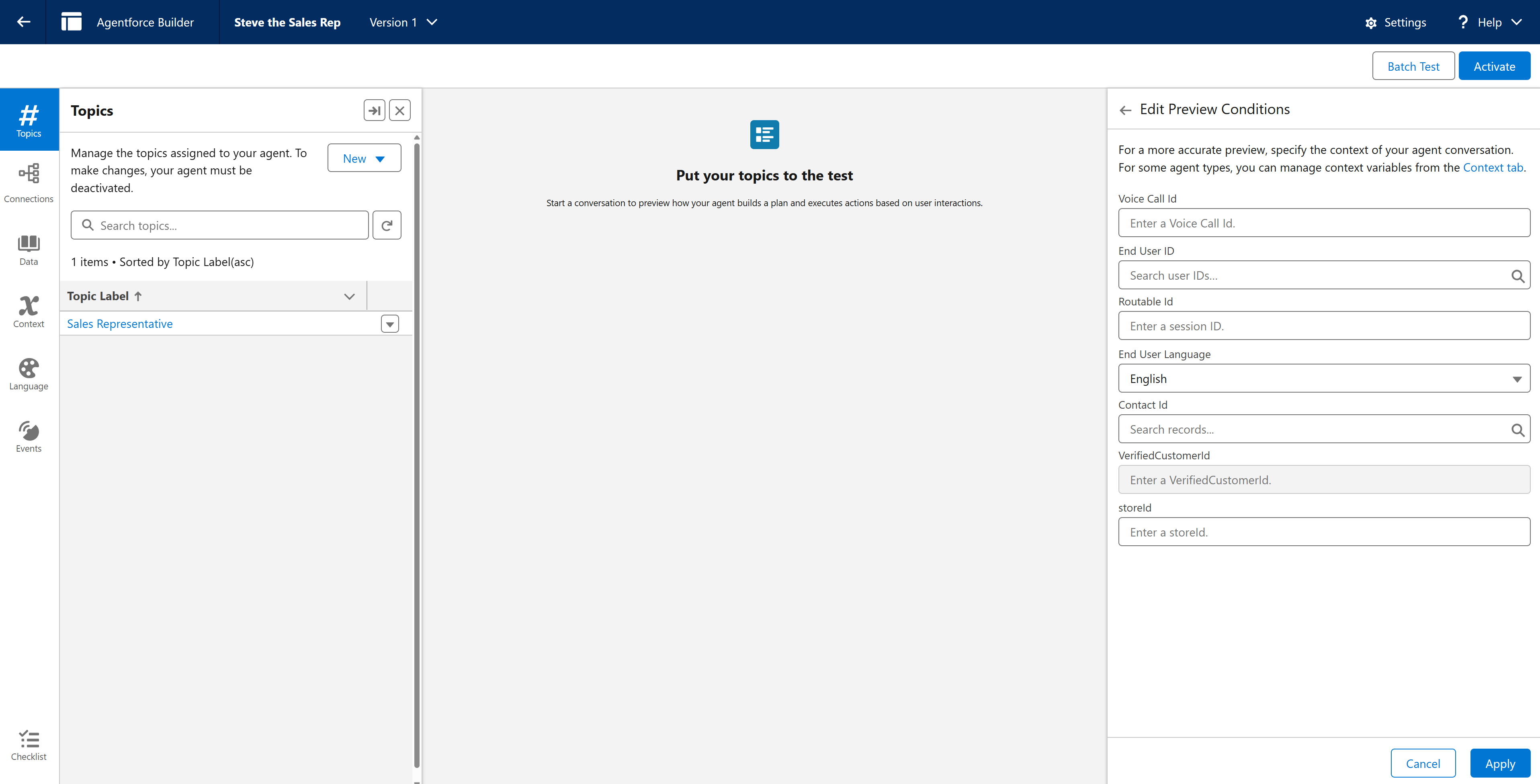
- Select the eye icon. This allows you to enter Context Variables to test.
- Copy and paste your StoreConnect Store record Id into the storeId variable in the list. This will let the agent know which store’s context to use.
- Click Apply.
Test the agent
-
In the Conversation Preview screen, type in some test questions and check the responses. For example, you could start with “Hi, what products do you sell?” You should see a response with the products from your store.
-
Ask various questions using varied words and phrasing to see how the agent responds.
-
Make a note of any odd or incorrect answers. You can see the internal logic of the agent in the Plan Tracer section. You may need to tweak the agent topics to correct any errors.
-
Check the agent user’s email to see if any errors were returned.
Activate the agent
-
Once the Agent is responding correctly, you can activate the agent.
-
Next, configure your store for the agent.