

Taking order payments from Salesforce
On this page
Taking payment in Salesforce enables you to process customer transactions directly from within Salesforce, without requiring the customer to visit the storefront checkout. This is useful for:
- Orders created manually in Salesforce where payment was not collected at the time
- Subscription orders where a payment method needs to be saved so that automatic future billing can proceed
Prerequisites
- The order must be compatible with StoreConnect and linked to a store:
- The order, order items, and any payments must have already synced to your website.
- The order must be linked to the store via StoreConnect’s Store lookup field.
- A billing contact must be associated with the order, with a complete billing address.
- The order must have an unpaid balance.
- A payment method configured for Salesforce payments must be available for that store. Not all payment providers support this. Check your provider’s documentation.
- Your store’s domain must be added as a trusted URL in Salesforce, see How to list your site as a trusted URL in Salesforce.
Unsupported payment methods
PayPal, Pay by Account, Buy Now Pay Later, and other login-based payment methods are not supported for taking payments from Salesforce.
Taking payment
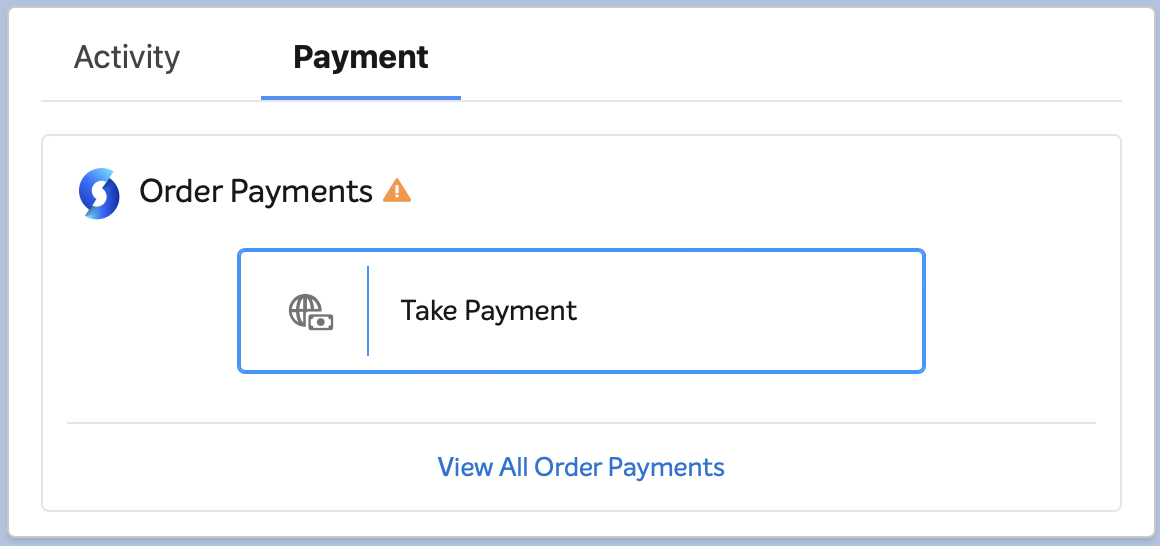
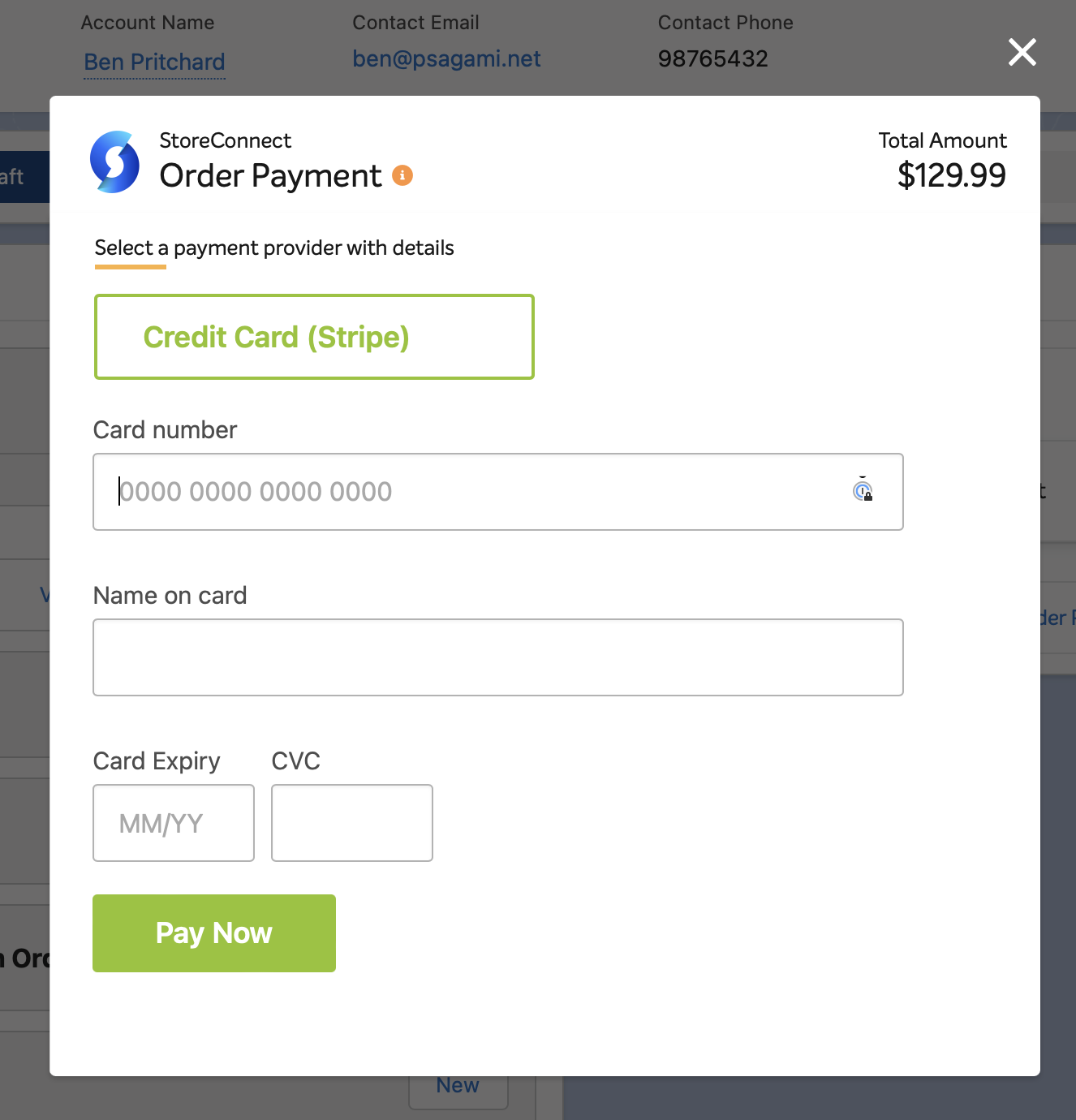
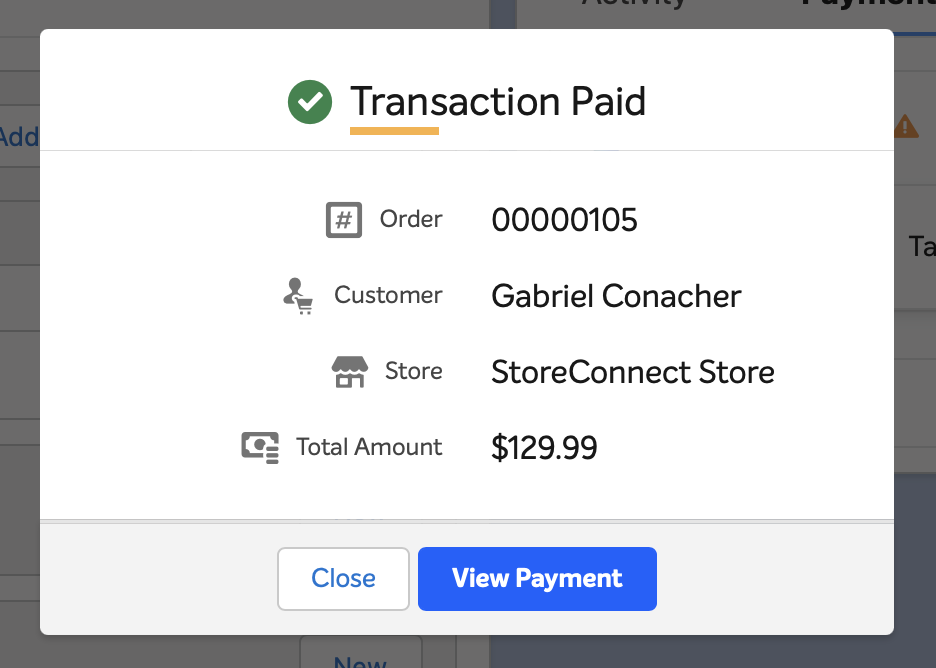
Your Order Lightning Page must include the StoreConnect Actions component. This component is included on the Order Lightning Page that ships with StoreConnect. Clicking Take Payment opens a modal where you can select a payment method and process the payment.
Records created in Salesforce
If the payment fails, no records are created. If the payment succeeds, the following records are created.
Surcharge order item (when applicable)
If the selected provider has a surcharge configured, a surcharge line is added to the order before the payment record is created, so the surcharge is already included in the payment total.
One OrderItem (surcharge line):
| Field | Value |
|---|---|
description |
Display name of the surcharge product |
pricebookentryid |
PricebookEntry ID for the surcharge product |
product2id |
ID of the surcharge product |
quantity |
1 |
unitprice |
Surcharge amount only if the store is tax-inclusive; surcharge + tax if tax-exclusive |
s_c__tax_amount__c |
Tax component of the surcharge |
One OrderItemTax per applicable tax rate on the surcharge product:
| Field | Value |
|---|---|
s_c__order_item_id__c |
Link to the surcharge order item |
s_c__tax_id__c |
ID of the tax record |
s_c__tax_amount__c |
Amount for that specific tax rate |
currencyisocode |
Order’s currency |
Payment record
One Payment__c record is created with these fields:
| Field | Value |
|---|---|
s_c__origin__c |
SF01 |
s_c__amount__c |
Total charged, including any surcharge |
s_c__method__c |
Display name of the payment provider, e.g. Stripe |
s_c__status__c |
success for immediate-settlement providers; pending for async-settlement providers such as ACH |
s_c__transaction_number__c |
Gateway transaction ID |
s_c__response__c |
Human-readable gateway response — typically includes masked card details and wallet type |
s_c__latest_api_response__c |
Raw JSON response from the gateway API |
s_c__paid_at__c |
Timestamp of payment |
s_c__payment_provider_id__c |
ID of the payment provider record used |
s_c__order_id__c |
ID of the order |
s_c__surcharge_amount__c |
Surcharge amount in dollars, if applicable |
s_c__surcharge_product_id__c |
ID of the surcharge product, if applicable |
s_c__preauthorization_token__c |
Set only if the provider is configured for preauthorisation; blank otherwise |
currencyisocode |
Currency from the order’s store |
Payment item records
One PaymentItem__c record is created for each order item that represents money collected. The payment total is distributed proportionally across those items based on each item’s share of the total payable.
| Field | Value |
|---|---|
s_c__payment_id__c |
Link to the payment record |
s_c__order_item_id__c |
Link to the order item |
s_c__amount__c |
Proportional share of the payment amount allocated to this line |
:::note Negative adjustment lines, such as promotion discounts and cash rounding, do not receive their own payment item. A Payment Item represents money actually collected, and a discount is never collected. Instead, the discount reduces the net amount allocated to the product’s payment item. For example, a product priced at 100.00 with a 10.00 promotion produces a single payment item of 90.00 against the product, and no separate payment item for the discount. To report on a discount amount, use the promotion’s order item line or the order totals rather than payment items. :::
Saving a payment method for subscriptions
If the order contains subscription line items that do not yet have a saved payment method, the payment token returned by the gateway is automatically stored on each qualifying subscription after a successful payment. This enables automatic future billing for those subscriptions.
The following information is saved to the subscription:
| Field | Description |
|---|---|
| Payment token | Used by the automated billing job for future charges |
| Payment source | Masked card display, e.g. **** **** **** 4242 |
| Payment source expiry | Card expiry date |
| Payment provider | The provider used for this payment |
:::warning If a subscription has a payment provider set but no payment token, all payment fields, including the provider, are overwritten with the values from this payment. This can replace a previously configured provider. :::
Subscriptions that already have both a payment provider and a payment token set are not affected.
Conditions for automatic billing to proceed
For automatic billing to proceed after a token is saved, two conditions must be met:
- The payment provider must support recurring payments.
- The subscription must be configured to charge recurring payments.
If either condition is not met, the token is saved but automatic billing is not enabled for that subscription. Verify your payment provider configuration and subscription product settings.
Subscription billing dates are not set by this flow
Taking a Salesforce payment does not set or advance billing dates on subscriptions. If the subscription was created without billing dates (for example, directly in Salesforce), you must set the Next Billing Date on the subscription separately. The automated billing job will not charge a subscription that has no billing date, or whose billing date has not yet passed.
See Subscription processing, payments and renewals for how automatic billing works once a token is saved.
Async settlement
Some payment providers, including ACH direct debit and certain bank transfer providers, do not confirm payment immediately. For these providers, the payment record shows a status of Pending until the provider confirms settlement. The status then updates to Success or Failed automatically.
Was this article helpful?
Thanks for your feedback! It helps us improve our docs.