

Set an order number prefix
On this page
Add a custom prefix to your store’s order reference numbers by creating a store variable. Use this process to make order numbers easier to recognize, for example by prefixing them with your store’s initials.
Set an order number prefix
- Open your store in StoreConnect.
- Go to the Store Variables related list and click New.
- Give the variable a Name, such as
Order Reference Prefix. - Set the Key to
order_reference_prefix. -
In the Value field, enter the prefix you want, for example
OC.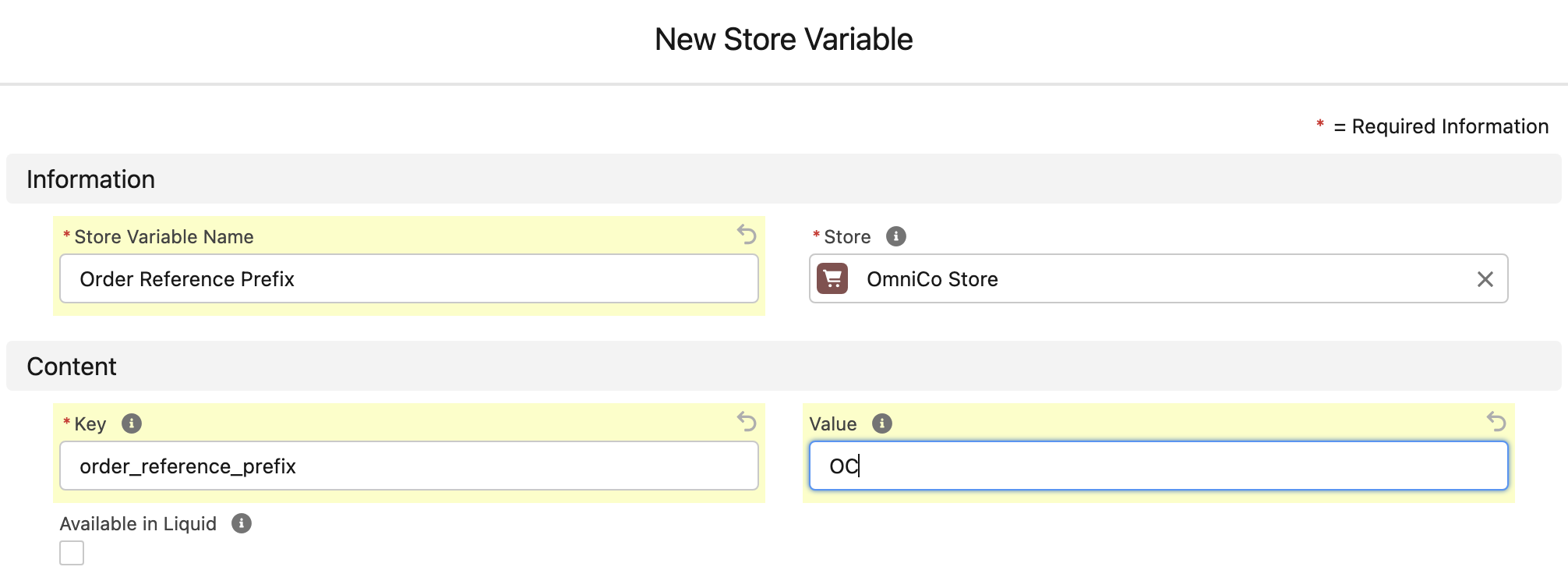
- Click Save.
Confirm it is working
Place a test order, or check the next new order, and confirm its reference number begins with the prefix you set.
Was this article helpful?
Thanks for your feedback! It helps us improve our docs.