

Embed a Google map on your website
On this page
It’s common to include a map on your website so that customers can easily find your physical location. This article describes how to add a Google map iframe to a content block so it can be shown on your site.
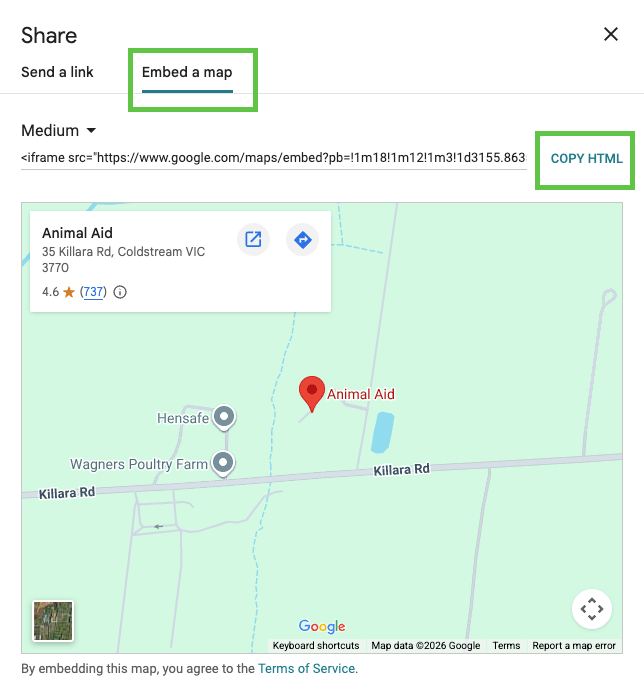
Get the HTML embed code for the map
- Go to Google Maps and search for the exact address you want to display.
- Click the Share icon.
- Select the Embed tab.
- Copy the HTML.
Add the map to a content block
- Create a new content block and use the No Added Styling template.
- Give the content block a name, like Location Map.
- Paste the HTML code into the Content field. If you want to change the size of the map, alter the width and height values in the HTML code.
- Click Save.
- Next, add the content block to your site.
Was this article helpful?
Thanks for your feedback! It helps us improve our docs.