

Display product info in product tabs
On this page
StoreConnect gives product pages a default content structure that includes product images, pricing, and purchase actions. It also includes an optional set of customizable components, among them the product tabs.
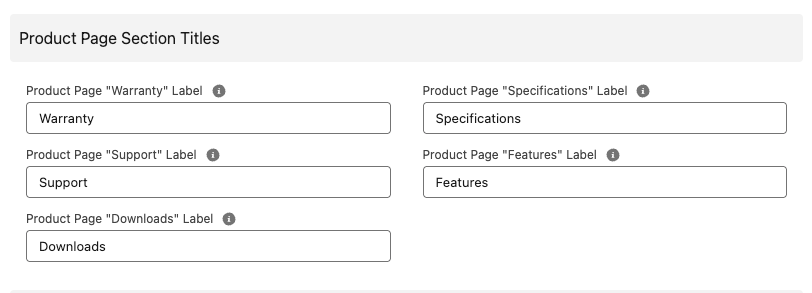
Each tab holds one kind of product information. By default they are named Features, Specifications, Downloads, Support, and Warranty. You can change what the tabs are called and what they contain to suit your business.
Before you start
- The product Page Layout must include the tab fields. See change page layouts for Salesforce objects.
Customize product tabs
- Open the Store record and select Edit.
- Scroll to the Product Page Section Titles section.
- Update the labels you want to change.
-
Select Save.
Open any product on your storefront. The tabs now carry your labels instead of the defaults. A tab only appears when there is content for it.
Was this article helpful?
Thanks for your feedback! It helps us improve our docs.