

Enable customers to request product quotes
On this page
This topic describes how to configure your store and products to show the ‘request a quote’ option. Watch this video for a demo.
Enable quotes in your store
- Open the Store record and go to the Products section.
- Select the Enable Quotations option.
- Select Save.
- Go to the Transactional Emails related list on the Store record and enable the Order Quotation Requested record, so the customer receives an email confirming their request.
Your store now offers a quote request to any customer whose cart holds a product with a hidden price.
Stores created before the Order Quotation Requested record existed do not have it, and upgrading the package does not add it. If it is missing, create it using the trigger values in Transactional emails.
Show quotation option on a product
- Open the Product record.
- In the Price Books related list, edit the product’s price book entry.
-
Select Hide Price.
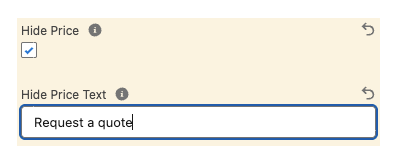
- Enter Hide Price Text, for example
Request a quote. This text appears where the price usually does on the product page. - Select Save.
The product page now shows your Hide Price Text where the price was, and the product can only be added to a quote request.
How this might look in your store
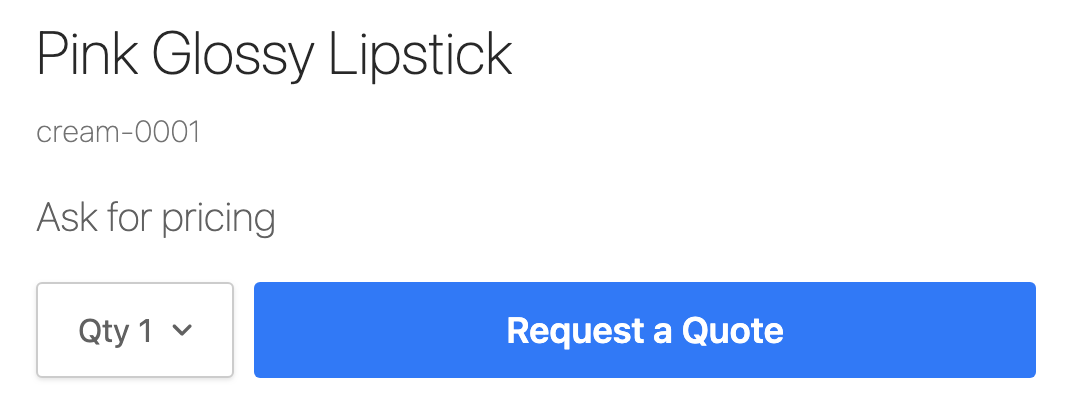
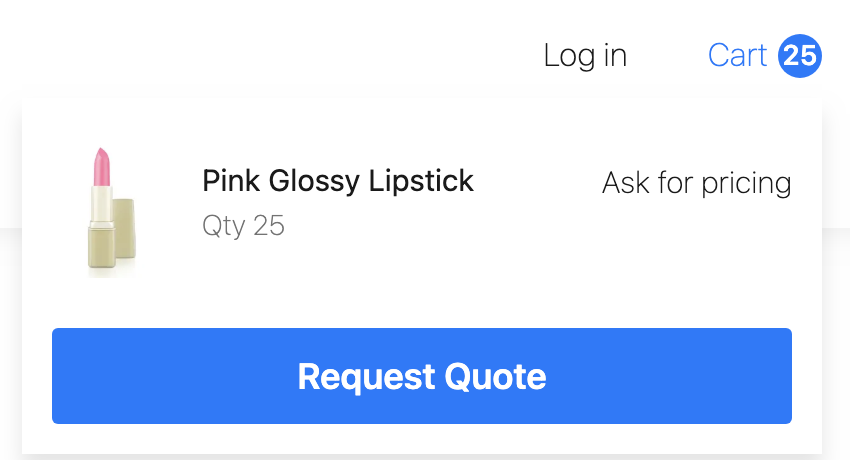
If the customer’s cart has one or more products that are not purchasable (price is hidden), the customer is only offered the option to request a quote.
If they want to make a purchase, they will need to remove the quote items from their cart or create a separate order for the purchasable items.
What happens when a customer requests a quote
A quote request shortens the checkout. The customer supplies their contact details and submits, and no payment is taken.
StoreConnect then:
- Creates an Order record with a Status of
Draftand a Checkout Step ofquotation_requested. - Converts the Cart Items to Order Products.
- Sets the cart’s Status to
quotation_requested, which locks the cart from further changes. - Creates a new empty cart for the customer’s session.
The new order appears in the Orders list within about 30 seconds, with the quoted products on it and no payment recorded. Work the quote from that Order record. For the full conversion sequence, see Cart to order conversion.
Bookable products and quote requests
Do not select Hide Price on a bookable product.
A quote request for a bookable product creates the Order and Order Products, but it does not create the Booking and Bookable Event records, and it does not reserve the slot. The cart hold expires on its normal schedule and the bookable products become available again, so the customer holds a quote for a product that is not booked.
Instead, display bookable product prices so the customer completes a standard checkout, which is what creates their booking. See Bookable events and services.
Was this article helpful?
Thanks for your feedback! It helps us improve our docs.