

How to delete deprecated metadata
On this page
In our ongoing efforts to enhance existing features, we occasionally need to remove the use of an object or field from our package. When this occurs, we append a label to the field or object to show as [Deprecated] indicating that they are no longer in use.
Periodically, we remove deprecated metadata from our package. This ensures that any fresh installations of StoreConnect do not include these deprecated objects and fields. However, if you already have the metadata present in your org, it will not be automatically deleted, even when upgrading to the latest version.
Once you have been upgraded to a StoreConnect package version that no longer has the deleted metadata, you can manually remove it from your org.
Download the required zip file for v21
For package versions 21 and up
API Version: 63
If you are on an earlier version than v21, see the alternative zip file below.
Remove deleted metadata from your org
- Navigate to Workbench.
- Select the API version to match the downloaded zip file you are using.
- Click Login with Salesforce. You may get logged in automatically, otherwise log in with your Salesforce username and password.
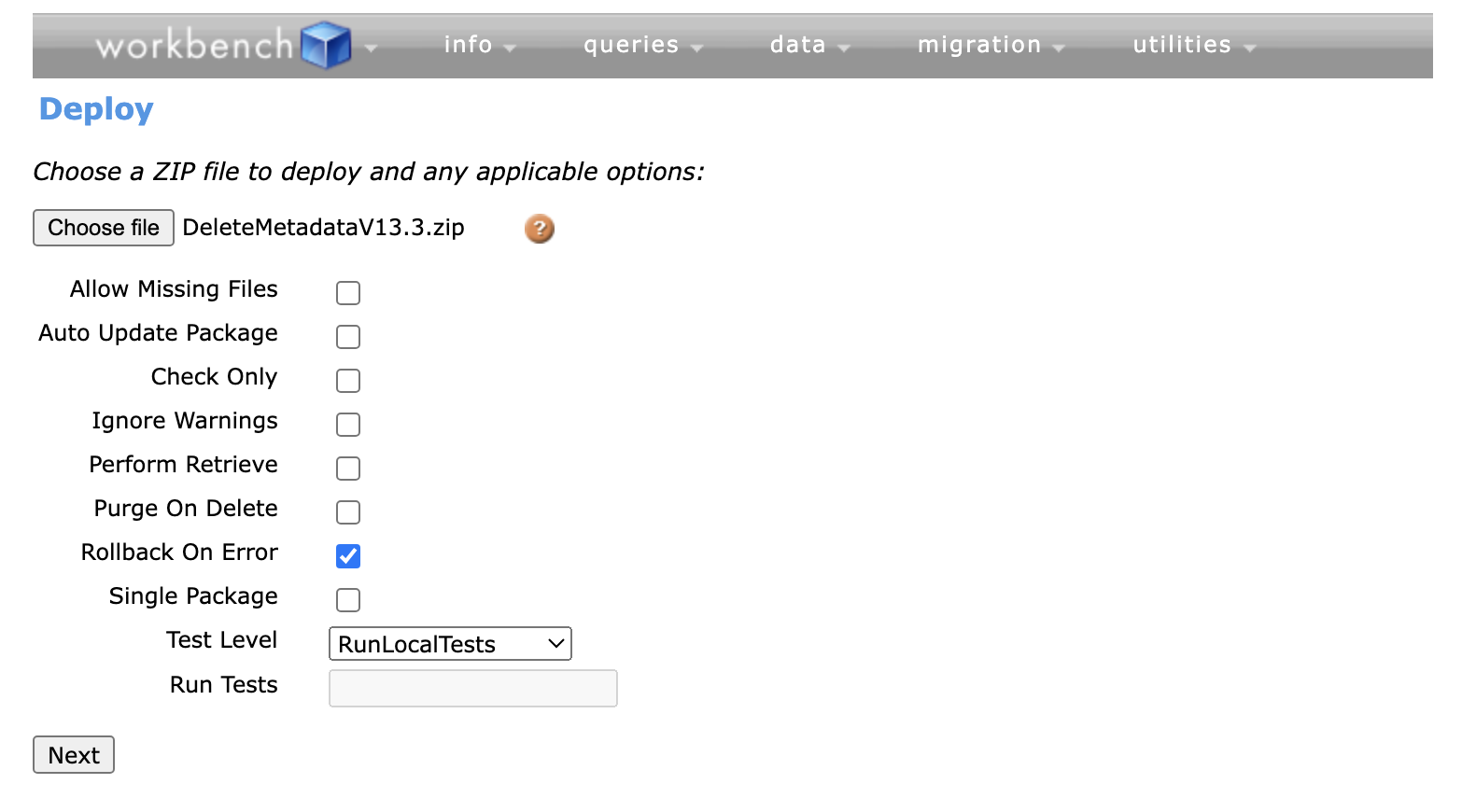
- Once logged in, in the menu bar, hover over Migration and click Deploy.
- Click Choose File and select the zip file you downloaded from below.
- Enable Rollback On Error.
- Choose a Test Level.
- Click Next.
- Click Deploy.
- Wait for tests and deploy to complete with a status of
Success.
What will be deleted
From the s_c__Store__c object:
- s_c__Pay_By_Account_Enabled__c
From the s_c__Outlet_Stock_Location__c object:
- s_c__Priority__c
From the s_c__Pos_Layout__c object:
- s_c__Grid_Columns__c
- s_c__Grid_Rows__c
From the s_c__Trait_Category__c object:
- s_c__Display_As_Filter_Top_Level__c
Downloadable zip for pre-v21 users
For package versions 13.3 and up
API Version: 57
What will be deleted
From the s_c__Promotion_Credit__c object:
- s_c__Code__c
From the s_c__Promotion__c object:
- s_c__Code__c
From the s_c__Booking_Attendee__c object:
- All fields
- The object itself will also be deleted
Was this article helpful?
Thanks for your feedback! It helps us improve our docs.