

Accept payment via account credit
On this page
Use this process to pay for a sale from credit the customer already holds on their account. To charge an amount to an account that has no credit, see Pay on account instead.
Before you start
- The customer has an existing account with an available credit balance. See How to offer store credit.
Complete a purchase using account credit
- In the POS checkout cart, select Add customer.
- Find the customer in the list and select them.
- In the cart, select Pay [amount].
- Select Account Credit as the payment method. The available balance is displayed.
-
In the Source field, select the relevant balance.
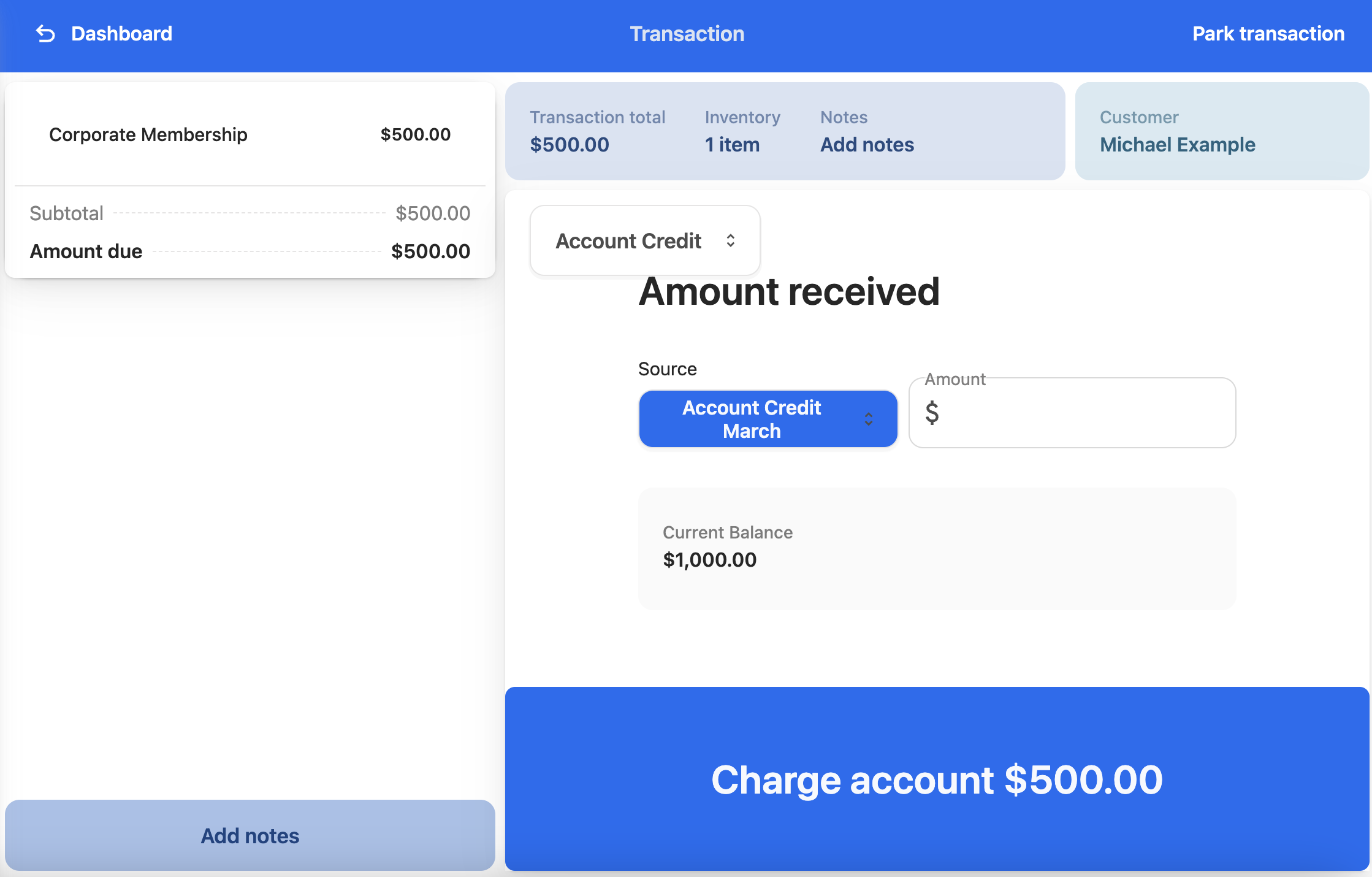
- In the Amount field, enter the amount to draw from the account, such as the transaction total.
- Select Charge account [amount] to complete the transaction.
- Issue a receipt as you normally would.
The customer’s available credit reduces by the amount charged, and the payment is recorded against the order as Account Credit.
Was this article helpful?
Thanks for your feedback! It helps us improve our docs.