

Show first and last name fields at checkout
On this page
For a quicker checkout, StoreConnect uses a single field for the customer’s full name. The first word entered in that field is saved on the Contact as First Name, and the remaining words are saved as Last Name. Splitting the field in two lets someone with a three or four word name choose which part is their first name and which is their last name.
To let customers enter their first and last name separately:
- Go to the Store Variables list for your store.
- Select New.
-
Set Key to:
```text
checkout_uses_first_and_last_name ```
-
Set Value to:
```text
true ```
- Select Save.
For more on how these records work, see store variables.
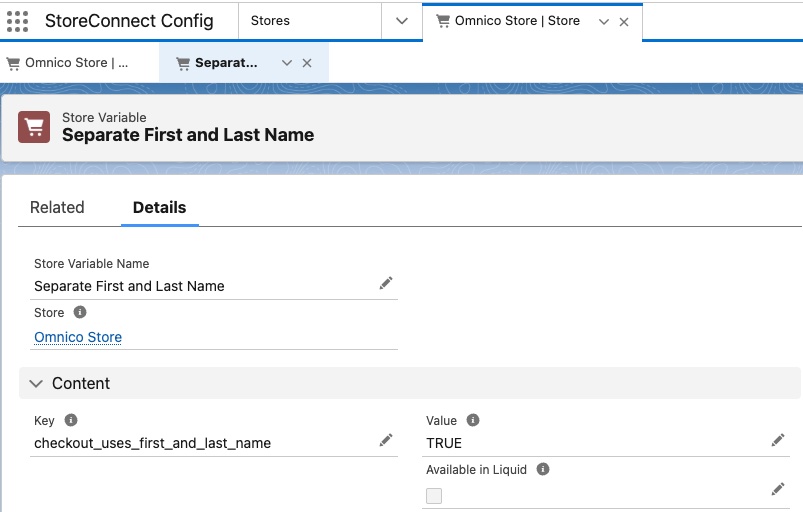
Go to your storefront and start a checkout. The single name field is replaced by First Name and Last Name.
Important notes
- Default behavior — if
checkout_uses_first_and_last_nameis not set, or is set tofalse, checkout shows a single full name field. - Database impact — this changes how Salesforce stores the name data sent from the website. Check that any integrations or workflows that read First Name and Last Name still behave as you expect.
Was this article helpful?
Thanks for your feedback! It helps us improve our docs.