

Express checkout
On this page
Offer your customers an express checkout experience from individual product pages, from the cart page, and from the cart dropdown. Express checkout accepts payment through one-click payment buttons, making the shopping experience effortless and reducing the likelihood of an abandoned cart.
Supported payment methods include Link, Apple Pay, Google Pay, and Amazon Pay. Some methods are not available in some regions.
Before you begin
You need a Stripe account and a Payment Provider record for Stripe.
Enable express checkout
Express checkout is not enabled by default. To enable it, open your Stripe Payment Provider record and add these API options:
show_wallets: true
express_checkout_enabled: true
Google Pay
In the Stripe dashboard, go to Settings > Payment Methods and, under Wallets, click Turn on for Google Pay.
Apple Pay
In the Stripe dashboard, go to Settings > Payment Methods and, under Wallets, click Turn on for Apple Pay.
Verify your domains
Both Apple Pay and Google Pay require verification that you own the domains used for their payment services. Repeat this for each store domain.
Go to Payment method domains in the Stripe dashboard to add each store domain.
:::note The Apple Pay button only shows in Safari, on desktop and mobile devices. :::
How it works
Express checkout offers customers the same shipping rates that come from StoreConnect. When a shipping rate is selected, the total order price is updated before the customer pays.
Guest customers
Guest customers are prompted for their contact details (email, phone) and shipping address in the wallet sheet when purchasing physical goods. These details are supplied during payment processing and stored on the order.
Logged-in customers
When a customer is already signed in, the express checkout wallet sheet is streamlined:
- Contact details (email and phone) are pre-filled from their account — they are not prompted to enter them again.
- Shipping address and rate selection are still presented in the wallet sheet for physical goods, so the customer can confirm or change their delivery address and choose a shipping method before paying.
- The billing address is pre-filled from their account.
Logged-in customers can complete express checkout for physical goods in fewer steps, without being asked for information their account already holds.
Individual product page
From any product page, the customer can express checkout for that item instead of adding it to the cart and doing a conventional checkout.
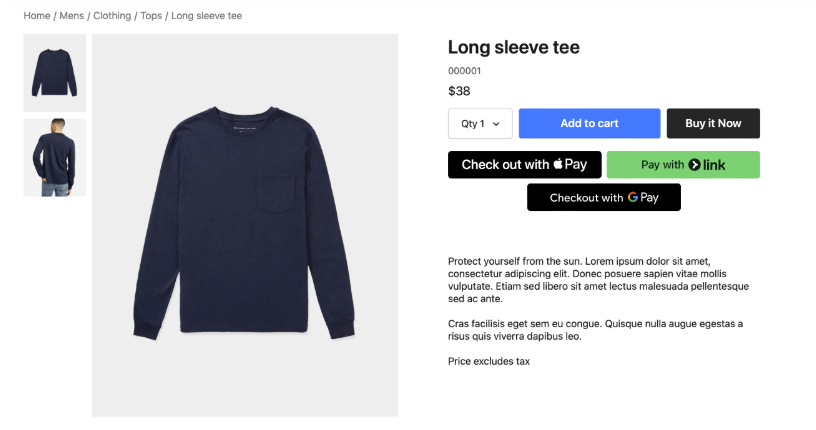
:::warning Express checkout from a product page places an order for only that product: an independent order from whatever is already in the current cart. Where the customer may already have items in their cart, consider making this clear with a warning. :::
Cart dropdown
Customers can express checkout directly from the cart dropdown, wherever they are on the site.
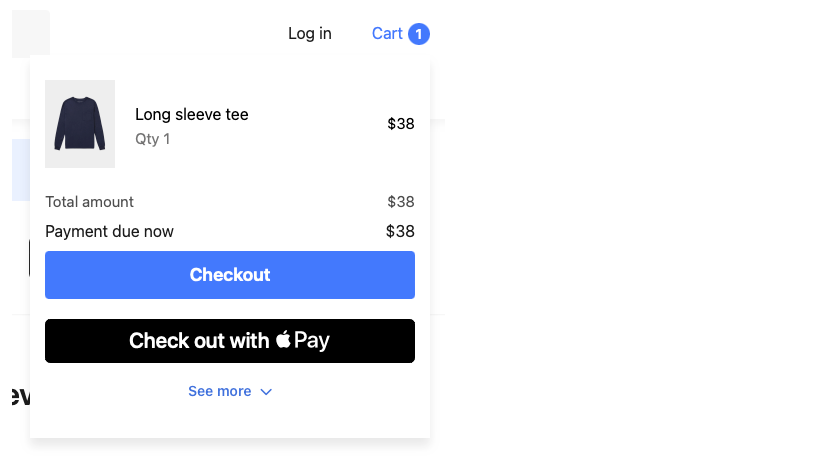
Cart page
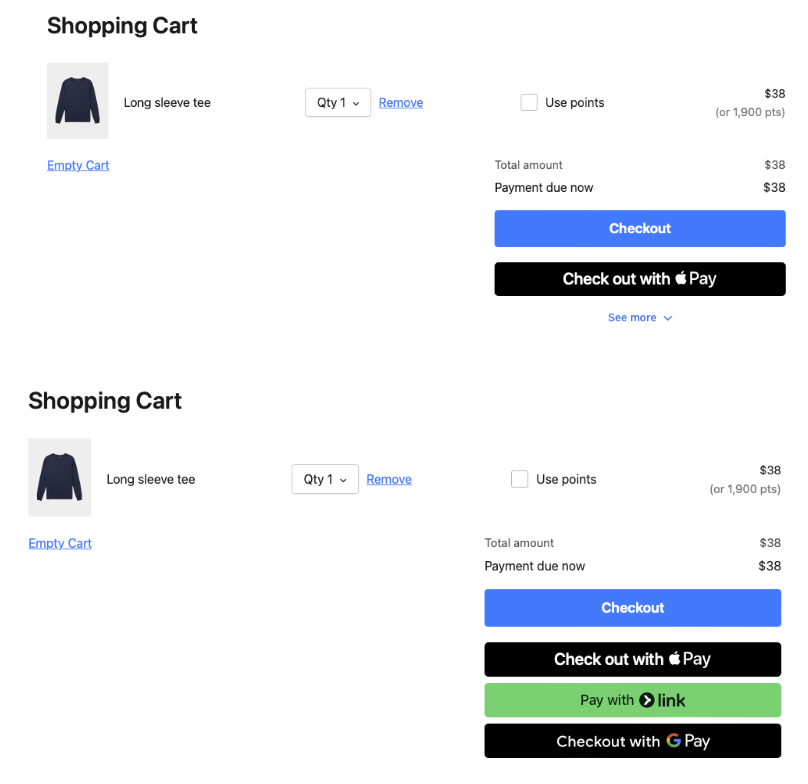
Here are two examples of what the customer may see on the cart page, depending on which options are enabled and supported in their region.
Was this article helpful?
Thanks for your feedback! It helps us improve our docs.