

Require terms & conditions acceptance at checkout
On this page
Use this process to make shoppers accept your terms and conditions before they can complete checkout. You write the terms as a page, then point the Store record at that page.
- Create a new page and call it something like Terms and Conditions. This is where you enter your store’s policies, detailing the terms and conditions that customers must agree to.
- Once the page is ready, open and edit your Store record.
-
In the Content Management System section, select the page you just created in the Checkout Terms & Conditions field.
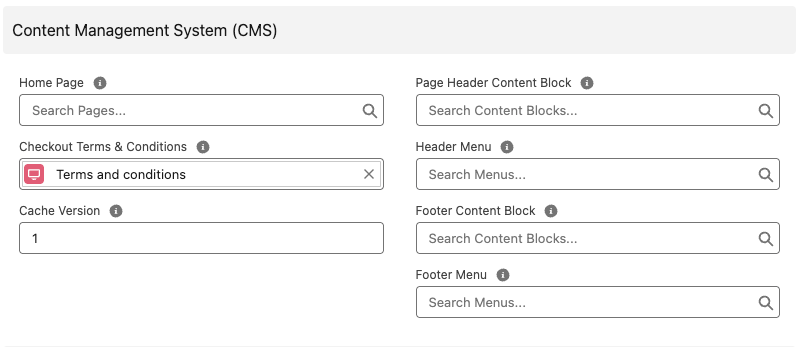
- Select Save.
Go to your storefront and start a checkout. A link to your terms and conditions page now appears with a checkbox beside it, and the checkout cannot be completed until the shopper checks it.
Was this article helpful?
Thanks for your feedback! It helps us improve our docs.