

Split payment at POS
On this page
Use this process when a customer pays for one sale with more than one payment method, for example part cash and part card. A customer can use any combination of methods, and can use the same method more than once.
Process a split payment at POS checkout
- At the POS checkout, select Pay [Amount] on the transaction.
- Select the first payment method and enter the amount being paid with it.
- Select Take [Amount]. The transaction total reduces by the amount entered.
- Select the next payment method and enter the amount being paid with it.
- Select Take [Amount].
- Repeat steps 4 and 5 until the transaction balance reaches
0.00. - If the cash drawer opens, file the cash or cheque the customer handed over.
-
Complete the transaction and issue a receipt.
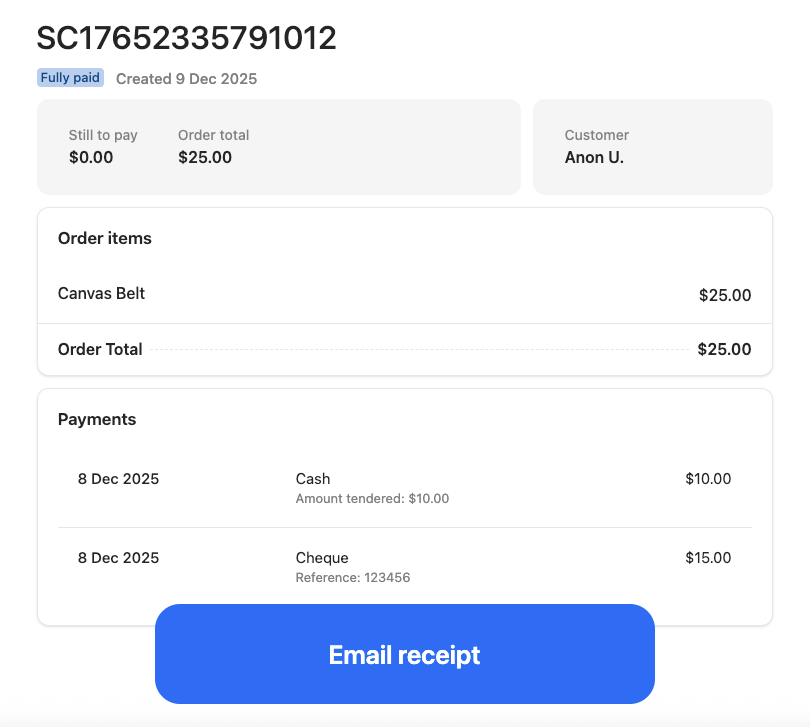
The order is recorded with a separate payment line for each method used, and the receipt itemizes them.
Was this article helpful?
Thanks for your feedback! It helps us improve our docs.