

StoreConnect support
On this page
There are two ways to reach StoreConnect support, and both create a case the team works from:
- Email support@storeconnect.com — the quickest route if you are not signed in, or you are replying from your phone.
- The support portal at support.storeconnect.com — sign in to log a case with a category and priority, and to track every case your company has open.
Use whichever suits the moment. A case raised by email appears in the portal alongside the rest, so you can start by email and follow it up there.
:::tip Subscribe to updates at status.storeconnect.com to be notified about service incidents and scheduled maintenance. Checking the status page first can tell you whether an issue you are seeing is already known. :::
In this section
- Log a support case — Raising a case, choosing a type and priority, and what to include so it can be diagnosed quickly.
- Track and update your support cases — Finding your cases, replying, changing priority, and closing one.
- Support service response times — What each priority level commits to.
- Granting support access to your Salesforce org — Giving the support team temporary login access.
- How to trigger a reindex from the support portal — Requesting a product index rebuild.
Sign in to your account
The support site uses single sign-on, so you sign in with your Google or Microsoft work account. There is no separate StoreConnect password.
- Go to the support site at support.storeconnect.com.
- Select Log in.
- Select Continue with Google or Continue with Microsoft, whichever provider hosts your work email address, then complete the sign-in prompts from that provider.
For a video walkthrough of the portal login, see Log in to the support portal.
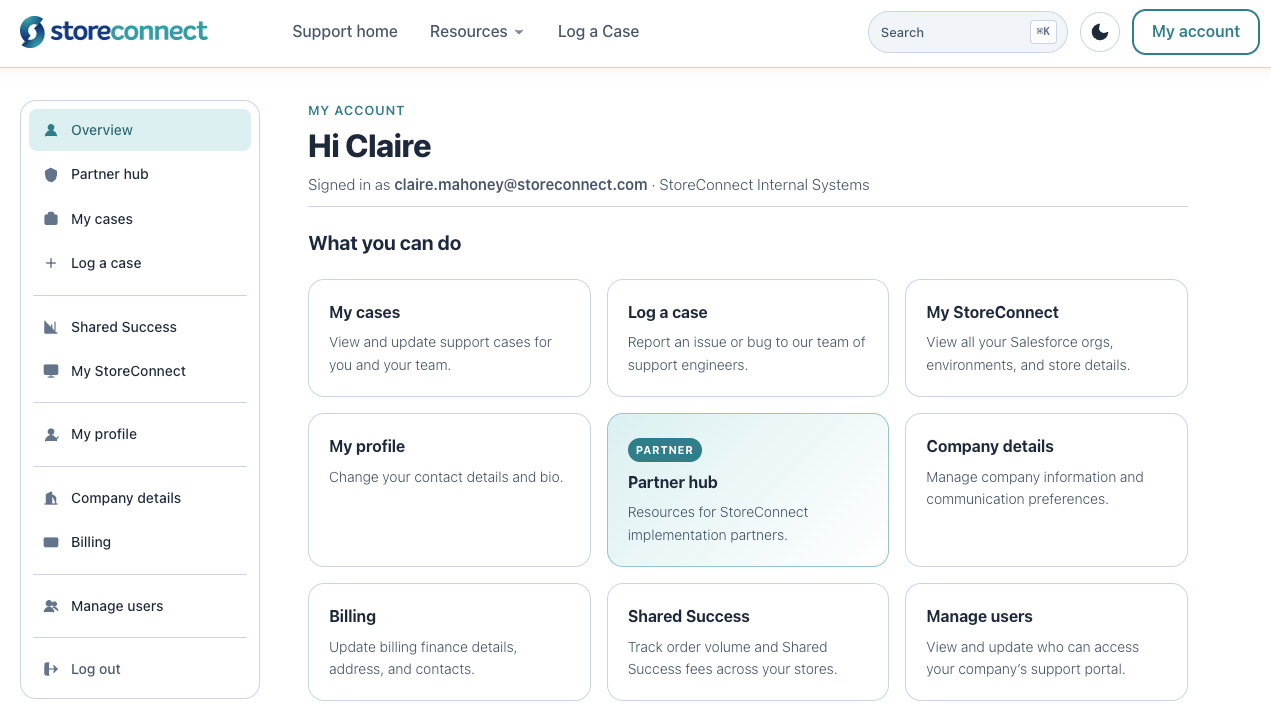
Signing in connects your support access to your StoreConnect subscription. My account then gives you your support cases, your Salesforce orgs and store details under My StoreConnect, your company details, and billing. If you do not have access to the admin and billing sections, and you think you should, contact support for assistance.
:::note Passwords are managed by your single sign-on provider, not by StoreConnect. If you cannot get in, select Trouble signing in? on the login page to open the right password reset flow for Google or Microsoft. :::
Grant access to your org
The support team may ask for temporary access to your Salesforce org to investigate an issue.
Response times
Cases are prioritized based on business impact and your plan. See Support service response times for the full list of priority levels and target resolution times.
Was this article helpful?
Thanks for your feedback! It helps us improve our docs.