

Item returns - refund and exchange at POS
On this page
Staff will need to adhere to the policy of your business when it comes to exchanges and refunds. This topic explains how to do both.
Process a return
Select the items for return
- Find the order at the POS register. If the customer has returned the item with a receipt, you will have transaction details you can look up.
- Open the order.
- Select Order actions, then Return or exchange items. A list of the order’s items appears.
- Select the item or items being returned.
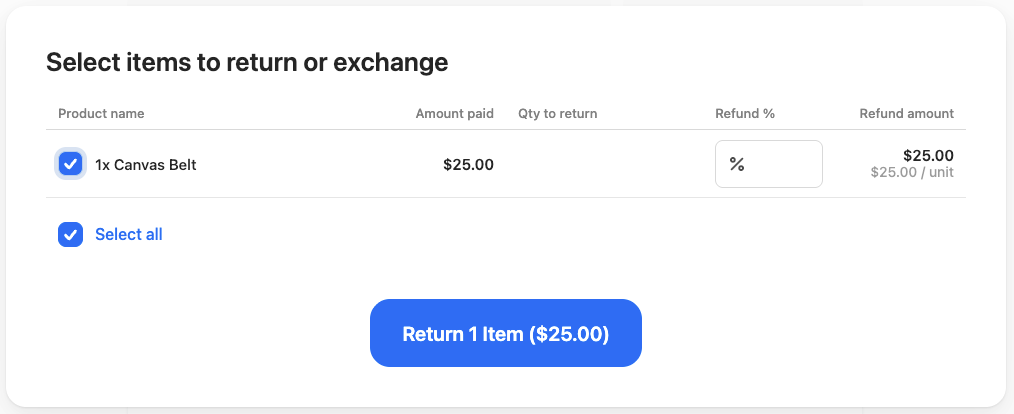
- Select Return [n] items. The items being returned appear in the cart.
- Follow the relevant procedure below to exchange or refund.
Process an exchange
- Add the new item, the one being exchanged for, to the cart.
- Select Process order.
- If the exchange is the same price, select Process order to complete the transaction. Print the receipt for the customer.
- If there is a price discrepancy and the customer needs to pay difference:
- Select Process order and receive the payment as you normally would to complete the transaction.
- Issue a new receipt.
- If there is a price discrepancy and the customer is owed a partial refund, follow the procedure below.
Process a refund
- In the cart, select Refund [$amount].
- Depending how your store outlet is set up, there might be several options for refund. Only payment methods that are currently enabled in your POS configuration appear as refund options. If an expected method is not listed, it may have been disabled — check with your store administrator.
- Cash - Enter the cash amount and then select Process refund. Provide the cash when the drawer opens.
- Credit card - Enter a refund into the EFT machine using the customer’s credit card. Enter the amount and reference number, then select Process refund.
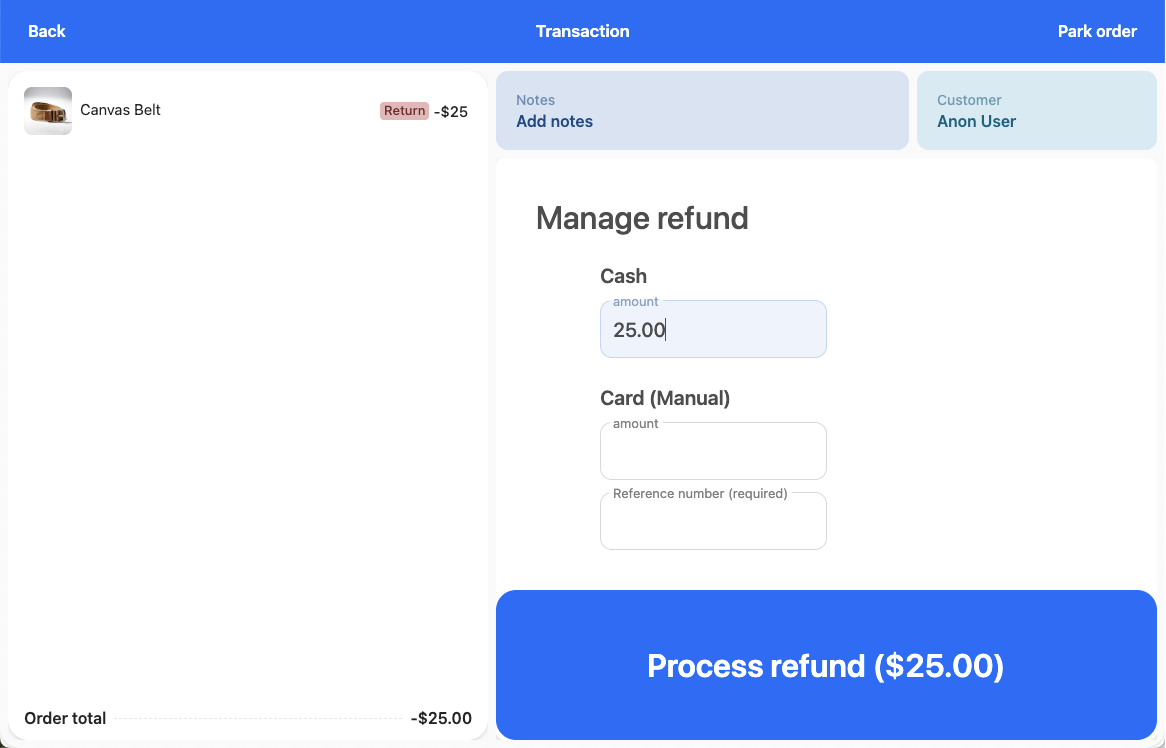
- Pay on Account - Available only when the original transaction included a Pay on Account payment. The refund is credited back to the customer’s account. Enter the amount to refund (up to the original Pay on Account payment amount) and select Process refund. The original purchase order number is shown for reference. You can combine a partial Pay on Account refund with another method (such as cash) if the original payment was split.
- Print and issue the receipt.
Issue a voucher
If your policy allows, you might provide a voucher for the customer instead of cash or a refund. If so, treat the transaction as an exchange and add the voucher as the exchange item in the cart.
Issue store credit
Store credit can only be issued to customers who have an account with your store. Check with your store outlet manager for details.
Was this article helpful?
Thanks for your feedback! It helps us improve our docs.