

Express checkout
On this page
Offer your customers an express checkout experience from individual product pages, from the cart page, and from the cart drop down page. Express Checkout allows you to accept payment through one-click payment buttons making the shopping experience effortless and therefore reducing the likelihood of an abandoned cart.
Supported payment methods include Link, Apple Pay, Google Pay, and Amazon Pay. Keep in mind, some methods are not available in some regions.
Prerequisites
You will need a Stripe account and a Payment Provider record for Stripe.
Configuration
Express Checkout for StoreConnect is not enabled by default. To enable, on your Stripe Payment Provider record, make sure you have added these API options:
show_wallets: true
express_checkout_enabled: true
Google pay
Within Stripe dashboard, visit Settings > Payment Methods and under Wallets click Turn on for Google Pay.
Apple pay
Within Stripe dashboard, visit Settings > Payment Methods and under Wallets click Turn on for Apple Pay.
Verify your domains
Both Apple Pay and Google Pay require verification that you own the domain(s) being used for their payment services. This process needs to be repeated for each Store domain.
Visit https://dashboard.stripe.com/test/settings/payment_method_domains?enabled=true to add each store domain.
Important Note
The Apple Pay button will only show on Safari browsers on Desktop and mobile devices.
How it works
Express Checkout offers customers the same shipping rates that come from StoreConnect. When a shipping rate is selected, the total order/cart price is updated before they make payment.
Guest customers
Guest customers are prompted for their contact details (email, phone) and shipping address in the wallet sheet when purchasing physical goods. These details are supplied during payment processing and stored on the order.
Logged-in customers
When a customer is already signed in, the express checkout wallet sheet is streamlined:
- Contact details (email and phone) are pre-filled from their account — they are not prompted to enter them again.
- Shipping address and rate selection are still presented in the wallet sheet for physical goods, so the customer can confirm or change their delivery address and choose a shipping method before completing payment.
- Billing address is pre-filled from their account.
This means logged-in customers can complete express checkout for physical goods in fewer steps, without being asked for information their account already holds.
Individual product page
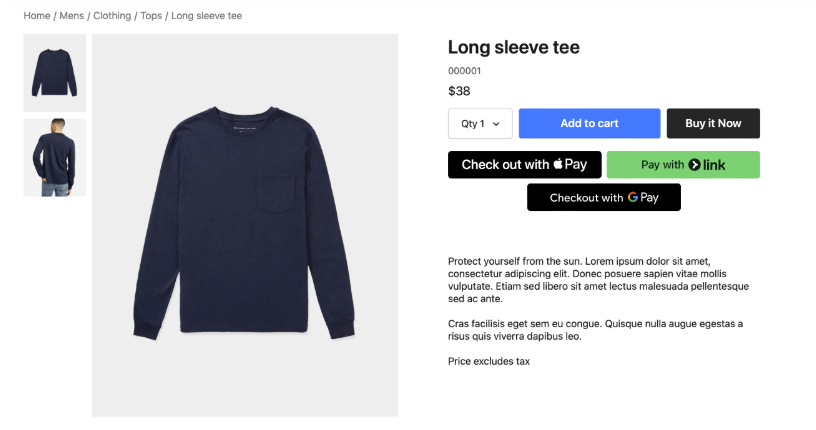
From any product page, the customer can choose to express checkout for that item instead of adding to cart and doing a conventional checkout..
Important Note
Using Express Checkout from a product page will place an order for only this product. It’s an independent order to what may already be in the current cart. You may want to make the clear to the customer with a warning in the case where they already have items in their cart.
Cart drop down
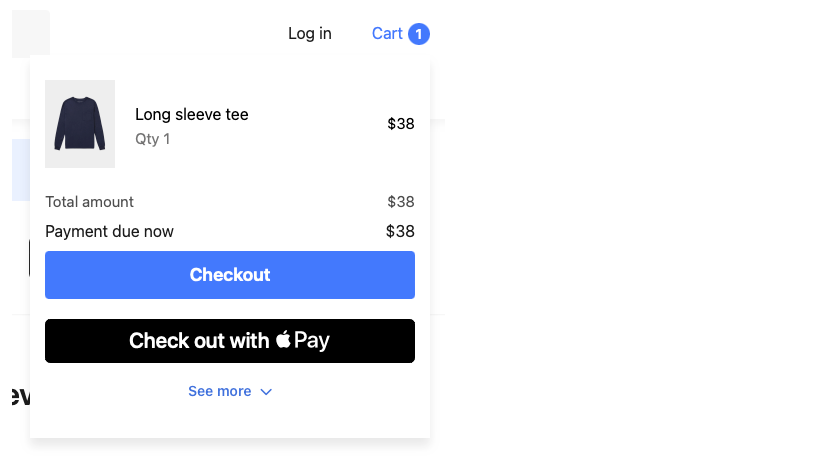
Customers can express checkout directly from the cart dropdown no matter where in the website they are.
Cart page
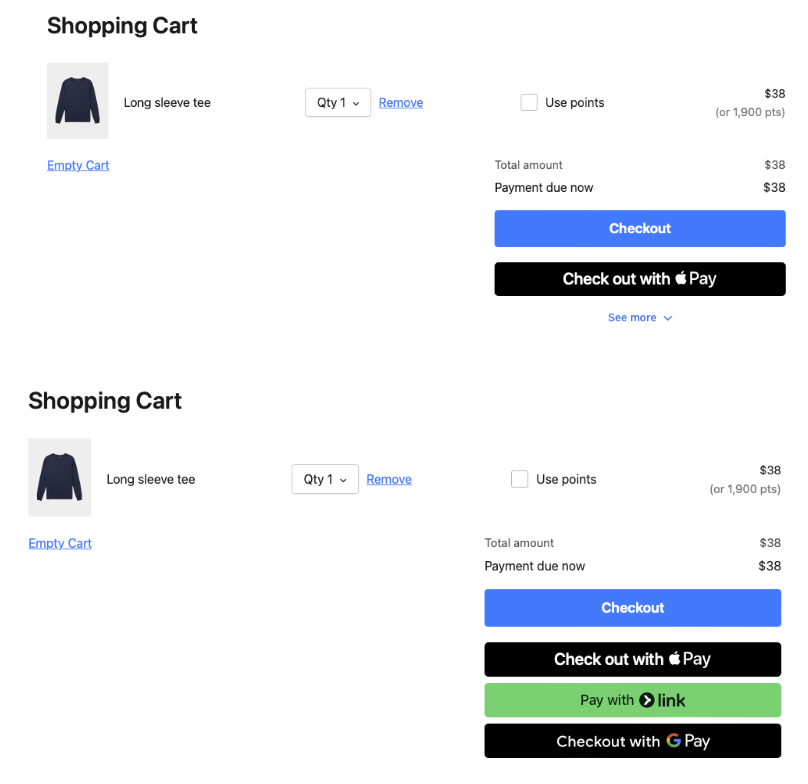
Here are two examples of what the customer may see on the cart page depending on what options are enabled and supported in their region.
Was this article helpful?
Thanks for your feedback! It helps us improve our docs.