

Process vouchers at POS
On this page
This topic covers:
- Selling gift cards at your retail checkout counter
- Processing voucher payments for in-store purchases
- Checking voucher balances for walk-in customers
Sell vouchers in-store
Ensure the transaction is fully completed and paid before providing the voucher code to the customer.
- In your POS terminal, add the voucher product to the customer’s transaction.
- Select or enter the voucher amount (e.g., $25, $50, $100).
- Complete the sale and finalize the transaction, as you would for any other product. The system will automatically generate a unique voucher code.
- Write or print the voucher code clearly on the physical gift card.
- Provide the physical gift card to the customer.
- Inform the customer of:
- The voucher balance
- Expiry date (if applicable)
- Where the voucher can be used (single store, store group, or any location)
- How to check their balance online at https://your-store-domain.com/check-voucher
Accept a voucher at checkout
- Go to the checkout after finalizing the sale.
- Select Voucher as the the payment method.
- Enter the voucher code in the Code field.
-
This validates the voucher status, balance, and expiry date.
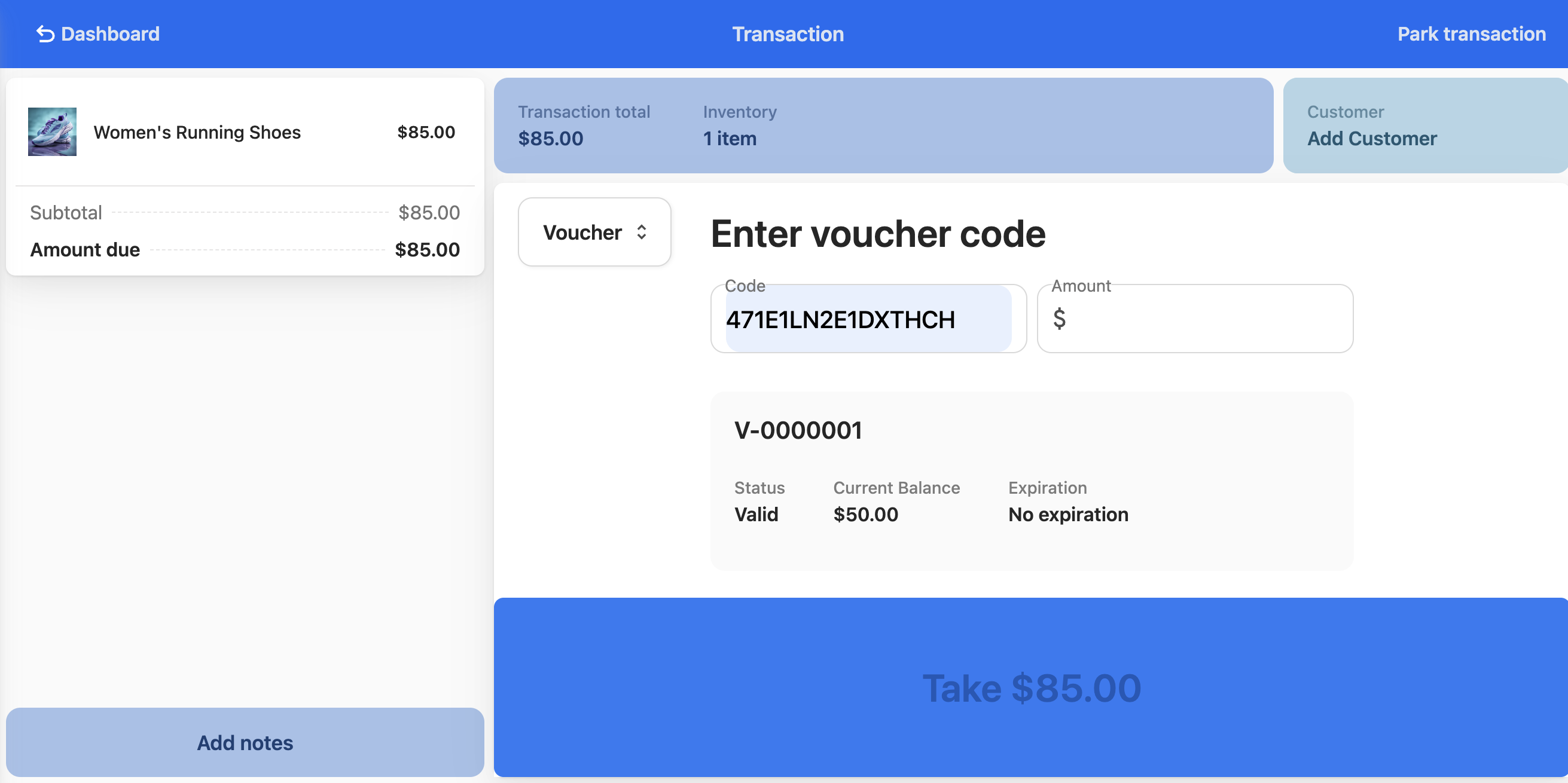
- If the voucher is PIN-protected, enter the PIN when prompted. The voucher will not be applied until the correct PIN is entered.
- Enter the amount of the voucher that the customer wants to use. This can be the total voucher amount, or any partial sum.
-
Select Take [Amount].
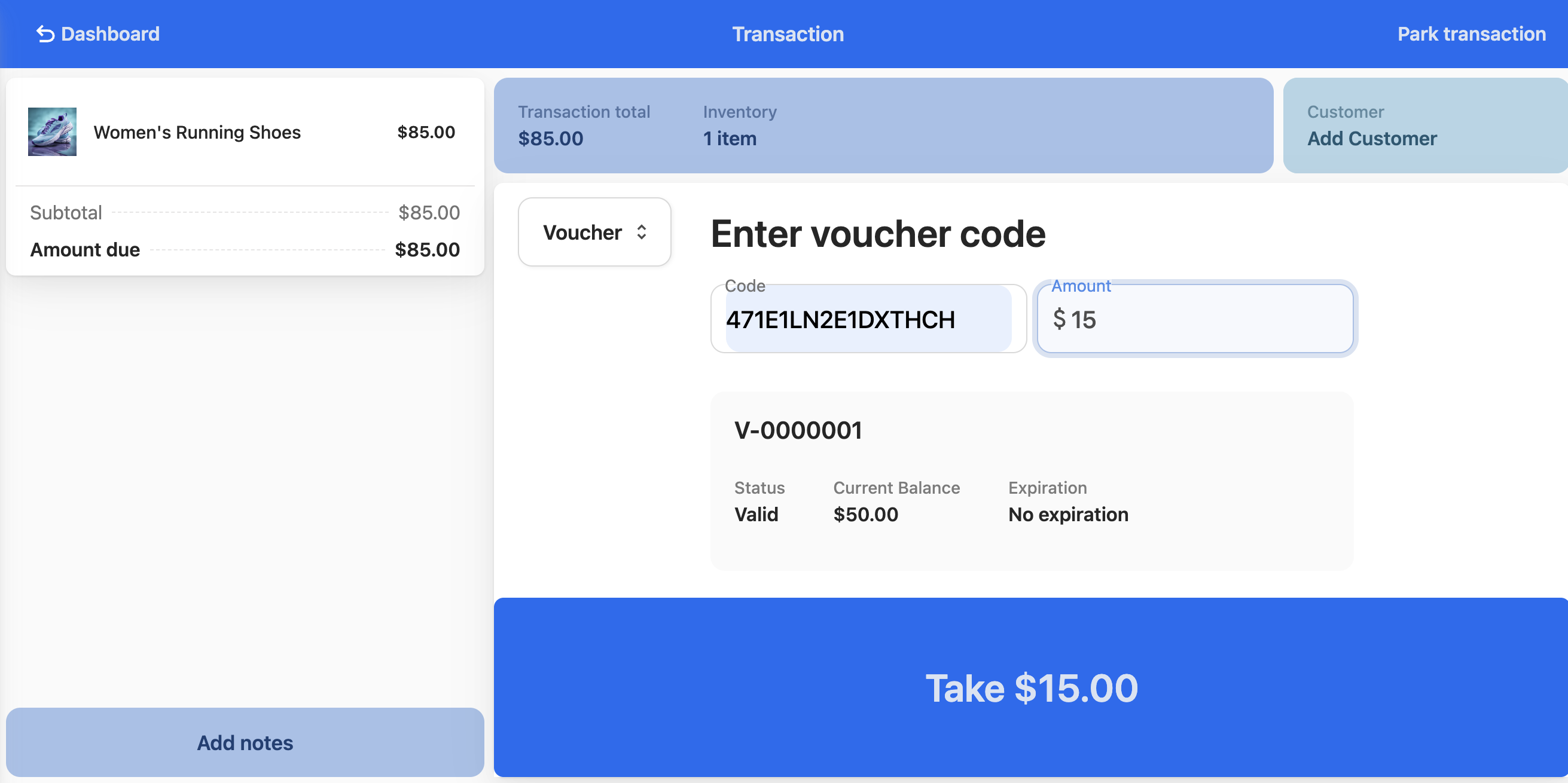
- If the voucher amount is more than the total purchase, complete the transaction and return the voucher to the customer so they can present it again for a future purchase.
- If the voucher amount is less than the total purchase, select another payment method for finalizing the transaction.
Check a voucher balance in-store
- Ask the customer for their voucher or voucher code.
- Enter the code into the POS system’s lookup function.
- The system displays:
- Current voucher balance
- Original voucher value
- Expiry date (if applicable)
- Inform the customer of their current balance and any relevant expiry information.
Voucher security
- Protect codes: Never share voucher codes except with the intended recipient
- Verify identity: Always verify customer identity when replacing lost vouchers
- Watch for fraud: Be alert for suspicious redemption attempts
- Secure cards: Keep blank gift cards in a secure location
Issues that may require escalation
You may need to refer to your manager if any of the following happens.
- Voucher code not found in system
- Customer disputes expiry or balance
- Voucher restriction issues
- Lost voucher replacement requests
- Any technical system errors
- Suspected fraud
Was this article helpful?
Thanks for your feedback! It helps us improve our docs.