

Configure agent permissions
On this page
:::note This topic relates to using AI agents to service your customers, not how to use agents for building on StoreConnect. :::
The following example shows how to set permissions using Apex. You don’t have to set them up this way if you are using Flows (the non-code method).
Set up agent permissions using Apex
Add Apex classes for permissions
-
In Salesforce, go to Users > Permission Sets.
-
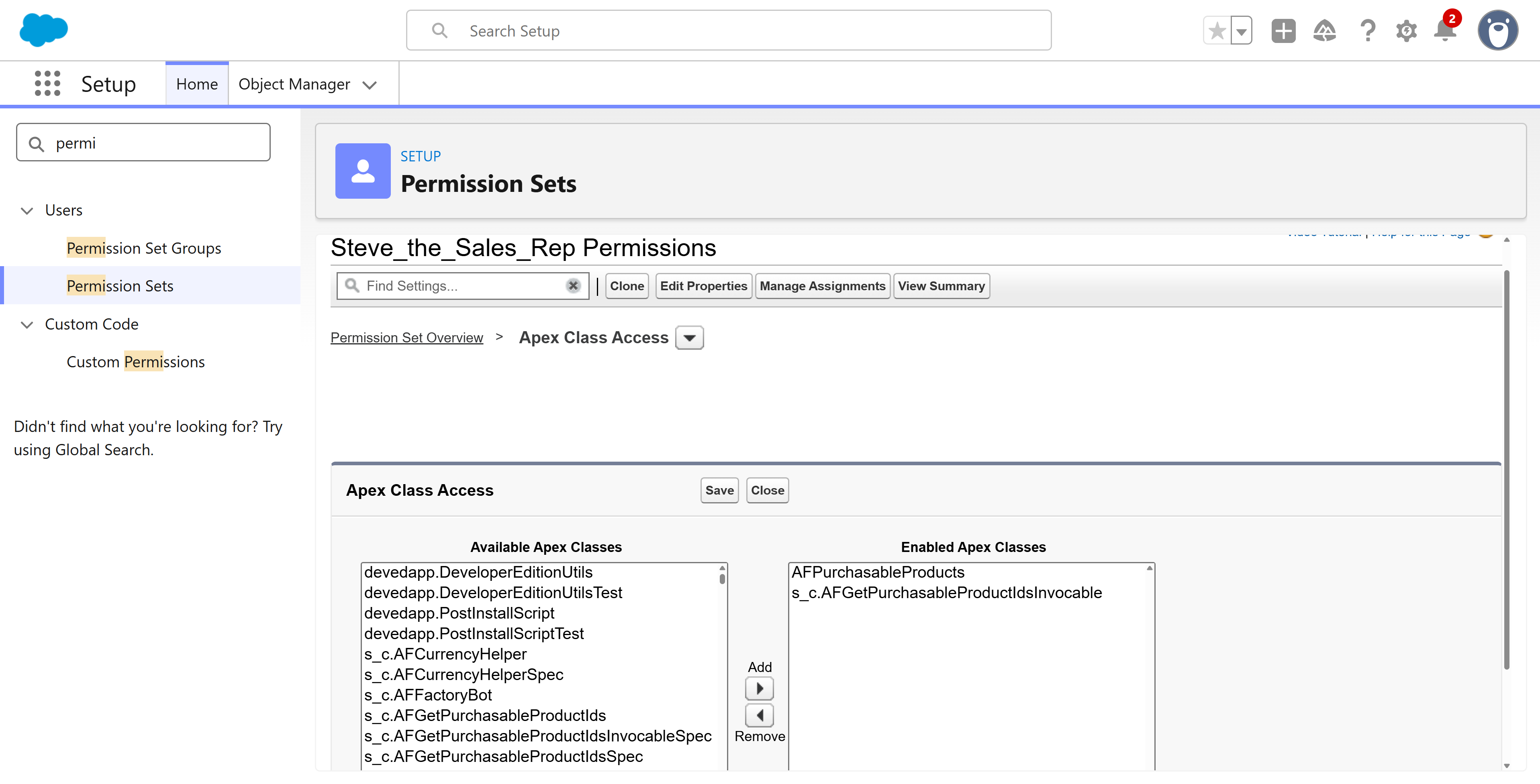
Locate the permission that was auto-created when you added the agent. It will have the same name. For example, Steve_the_Sales_Rep.
-
Open the permission record.
-
Select Apex Class Access. (Note: For Flows you would select Flow Access)
-
Add the following Apex Classes:
-
s_c.AFGetPurchasableProductIdsInvocable
-
AFPurchasableProducts
-
Grant access to StoreConnect objects
-
Go to the Object Manager.
-
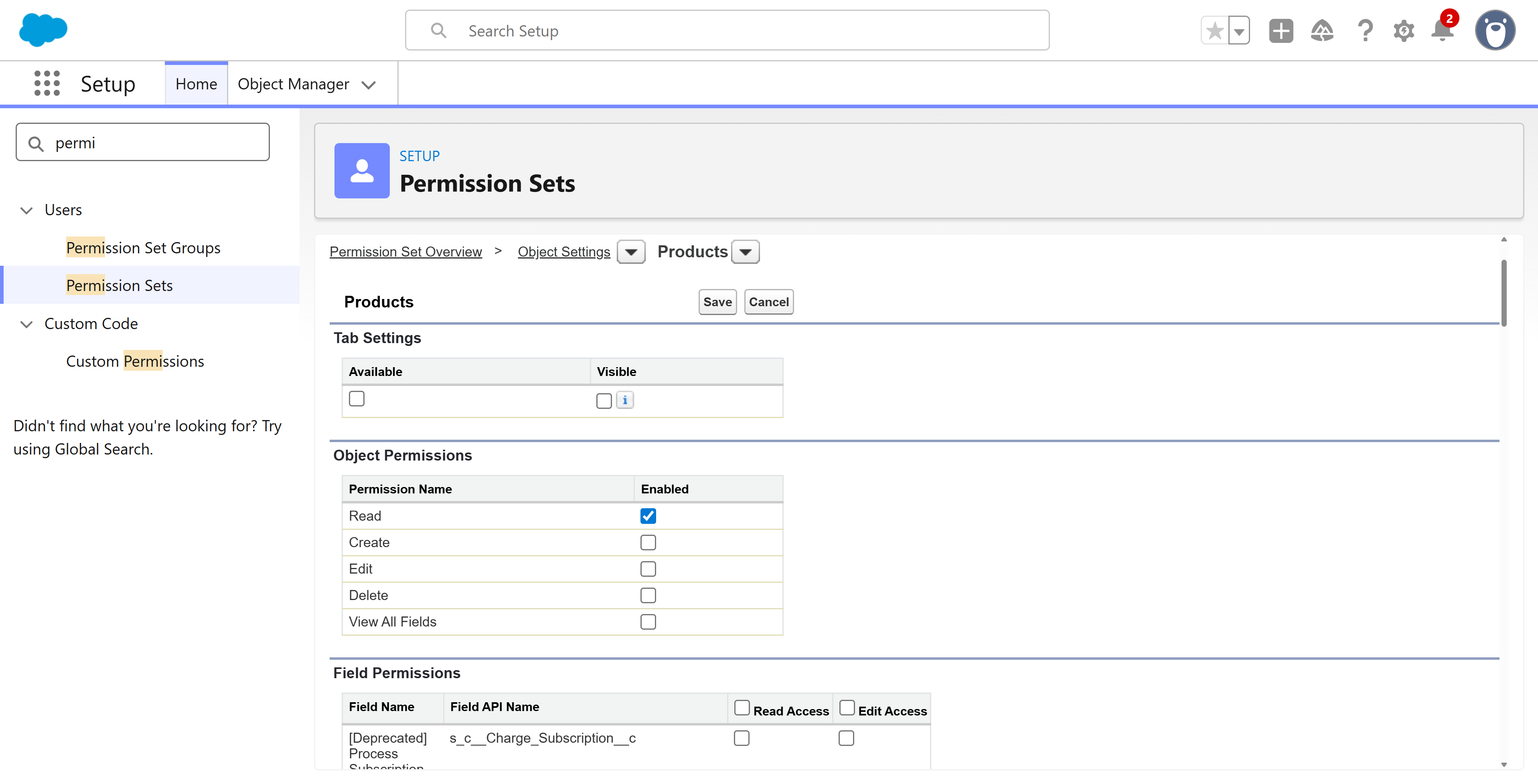
Open the Product2 object record and and grant read access on the object and on the following object fields:
-
s_c__Available_On__c
-
s_c__Display_Name__c
-
ProductCode
-
s_c__Features_Markdown__c
-
s_c__Subscription_Term__c
-
s_c__Subscription_Term_Count__c
-
s_c__Subscription_Term_Unit__c
-
s_c__Subscription_Type__c
-
-
The PricebookEntry will already have the permissions required as we are only using standard fields in this demo.
-
Open the s_c__Product_Media__c object and grant read access on the object and on the following fields:
-
s_c__Position__c
-
s_c__Product_Id__c
-
-
Open the s_c__Product_Media__c object and grant read access on the object and on the following field:
- s_c__Url__c
-
Open the s_c__Products_Product_Categories__c object and grant read access on the object and on the following field:
- Name
-
Open the s_c__Product_Category__c object and grant read on the object and on the following fields:
-
s_c__Active__c
-
s_c__Product_Id__c
-
s_c__Taxonomy_Name__c
-
Final checks before testing
-
Make sure to assign the permission set to the Agent if it isn’t already.
-
Grant record level access to the Agentforce Agent. This is usually done via sharing rules depending on your individual org setup.
-
Recommended - While you are on the user page granting access for the agent, update the Name, Alias and Email address of the agent user. Add a valid email address as errors will be reported back this way.
-
Make sure you’ve completed all the set up steps for your StoreConnect store, and you have products, images, etc. that can be accessed by the agent.
Was this article helpful?
Thanks for your feedback! It helps us improve our docs.