

Configure cash rounding
On this page
Use this process to round cash transactions to the smallest denomination your currency uses. If your currency does not require rounding, skip this article: no configuration is needed.
To display the rounding on the storefront, add the rounding fields to your page layouts.
What is rounding?
The rounding unit is the amount in your currency that you would be rounding up or down by. For example, Australia’s smallest denomination in cash is $0.05 and cash amounts are rounded to the nearest 5 cents. In this case you would set the Rounding Unit to 0.05.
Choose the rounding rule that applies to the region your outlet is in.
Cash rounding rules
The table below shows the cash rounding rules where 0.05 is the cash rounding unit.
| Rule | Behavior | Example input | Rounded Result |
|---|---|---|---|
| Always Up | Always go to next 0.05 | $10.02 | $10.05 |
| Nearest Up | Nearest 0.05 (midpoint up) | $8.93 | $8.95 |
| Always Down | Always go to previous 0.05 | $12.04 | $12.00 |
| Nearest Down | Nearest 0.05 (midpoint down) | $9.93 | $9.95 (nearest), but $9.925 → $9.90 |
Configure cash rounding
- Open your Store record in Salesforce and go to the POS section.
- Select the Cash Rounding Rule that applies to your region.
- Enter the Cash Rounding Unit, for example
0.05. -
Select Save.
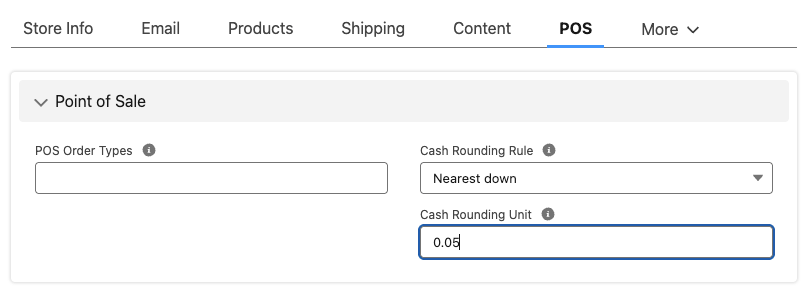
Cash totals at the register are now rounded to the unit you set, and the rounding adjustment appears as its own line on the order.
Was this article helpful?
Thanks for your feedback! It helps us improve our docs.