

Pay on account
On this page
Use this process to bill a sale to a customer’s account instead of taking payment at the register. The customer provides their account details and a purchase order, and the sale total is added to their account for later payment. This is common for trade businesses and other retailers selling to businesses.
Allow a customer to pay on account
- At the POS register, select or scan the products as normal and go to the checkout.
- Select Add customer at the top of the cart. The customer list opens.
- Search for the customer and select them, or enter their details to create a record.
- Check that the customer is authorized to pay this way and that there are no stops on the account. If there are, take payment by another method instead.
- Change the payment type to Pay on Account.
-
Enter the Purchase order number, which the customer provides.
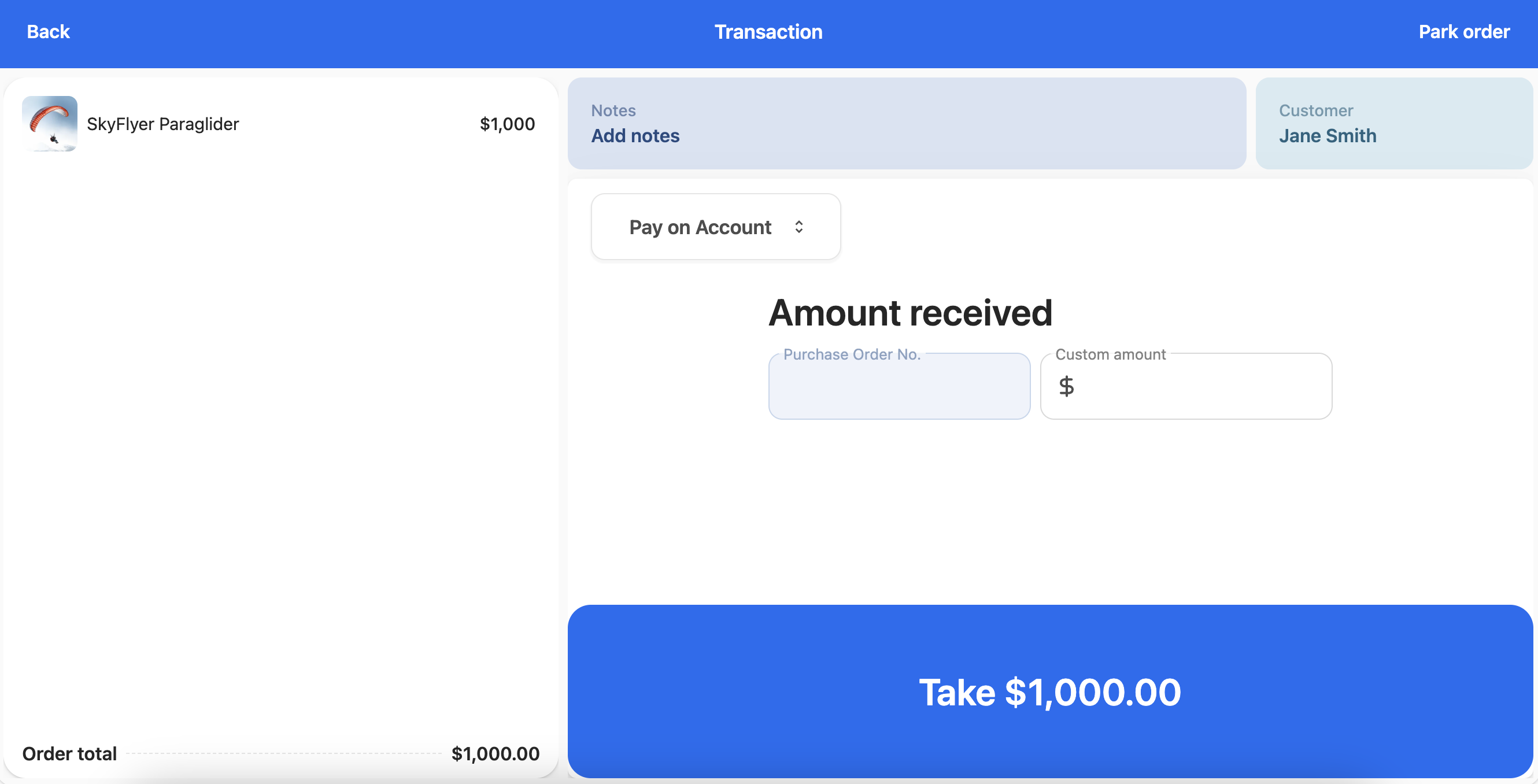
- Enter the amount of the purchase order and finalize the transaction.
The sale completes without money changing hands, and the amount is charged to the customer’s account with the purchase order number recorded against the order.
Refund a Pay on Account payment
When the original transaction included a Pay on Account payment, Pay on Account is available as a refund method. The refund is credited back to the customer’s account rather than paid out in cash or to a card.
To process a Pay on Account refund, see Item returns - refund and exchange at POS.
Was this article helpful?
Thanks for your feedback! It helps us improve our docs.