

Souvenir theme
On this page
The Souvenir theme suits gift shops, clothing boutiques, and fashion stores, including those selling cosmetics, apparel, or curated collections. Its built-in features lean towards product upselling and discovery.
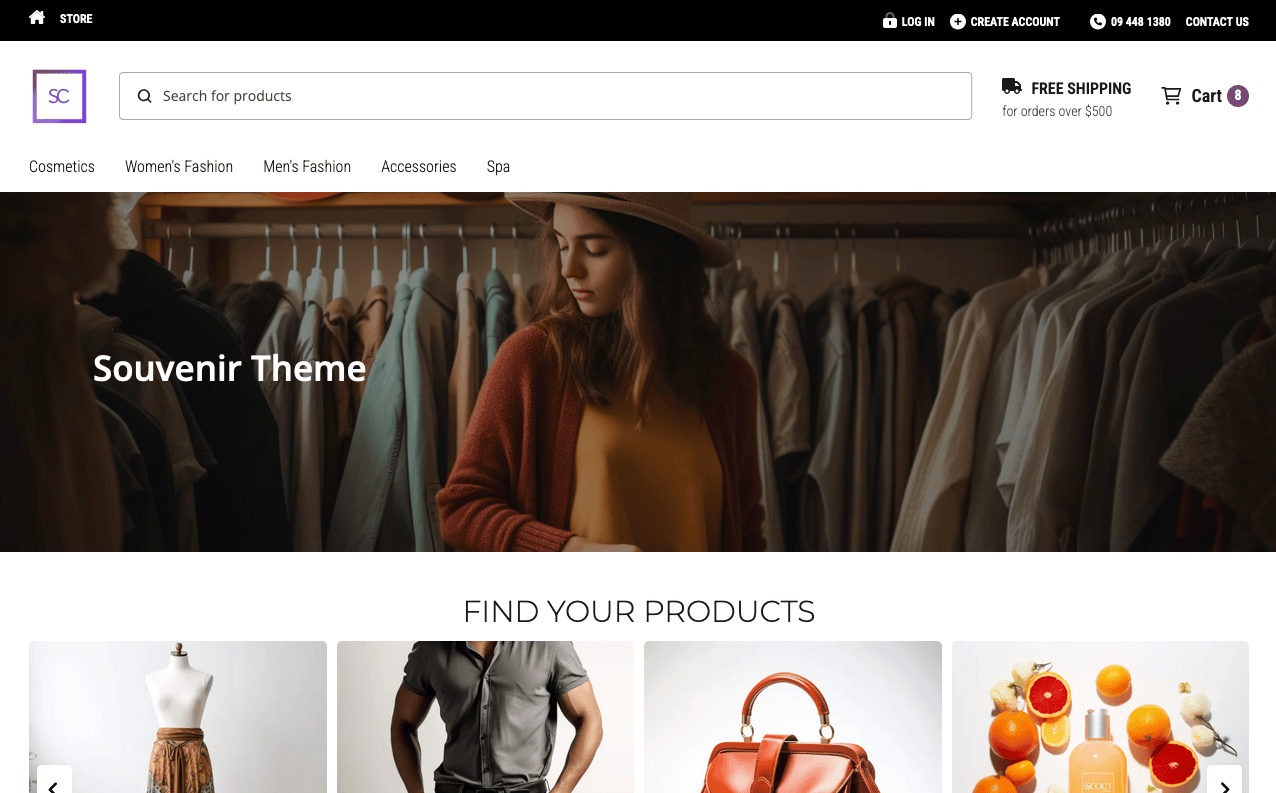
Download the installable theme as a .zip, then use the theme importer to install it in your Salesforce org. The source is in the souvenir theme repository.
Key features
- Top header bar for promotions or announcements.
- Customizable menus that support icons or images.
- Image grids for showcasing products or collections.
- Advanced container settings for layout control.
- Reviews template for displaying customer reviews.
- Social bar for social media links.
- Featured product and category sliders.
Modified content block templates
container— a flexible block used to contain and structure various elements within the themefeatured_categories— display a selection of top-selling or highlighted categories, making it easier for customers to navigate to the most important sections of your storefeatured_products— showcase individual products that you want to highlight, such as bestsellers or items on saleimage_beside_text— combine images with accompanying text to create compelling product descriptions or feature sectionimage— insert standalone images anywhere in your theme to visually enhance the customer’s shopping experience
New content block templates
collection_box— create visually appealing collections of related products, ideal for promoting sets or themed merchandisefree_shipping_bar— display a prominent banner informing customers about free shipping offers, encouraging higher cart valuesreviews_section— integrate customer reviews directly into your product pages to build trust and influence purchasing decisionssection_banner— add full-width banners to sections of your store to highlight promotions, events, or new arrivalssingle_review— feature individual customer reviews prominently to showcase positive feedback and testimonialsthumbnail_image— utilize smaller images to preview products or categories, enhancing the browsing experience with quick visual cues
New components
cart-menu
The new templates are not in the Content Template picklist by default. Add each one before you can select it; see adding your own custom content block templates.
Was this article helpful?
Thanks for your feedback! It helps us improve our docs.