

UTM tracking codes
On this page
UTM tracking codes are very common and broadly used to track website clicks and the performance of marketing activities.
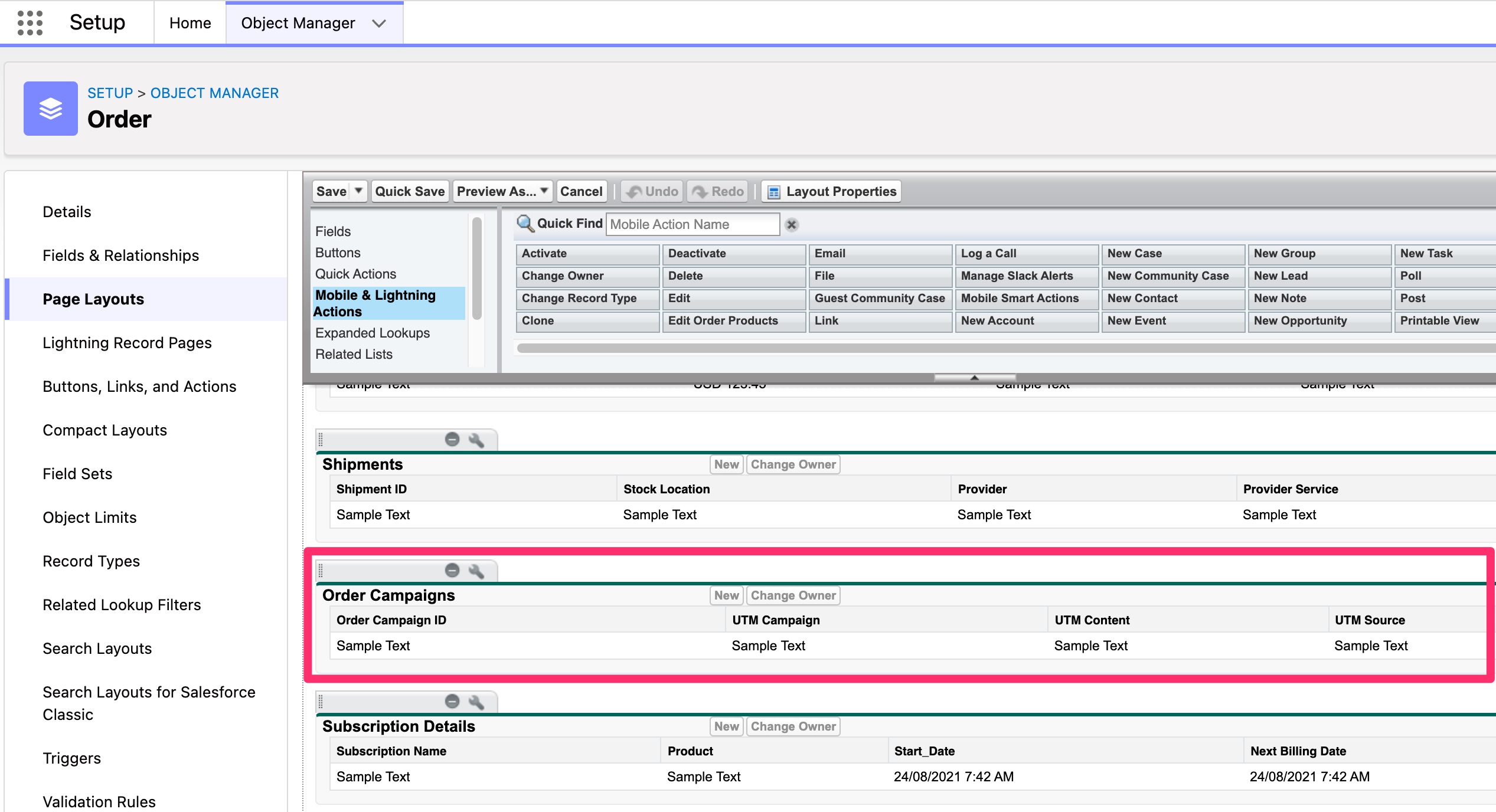
UTM tracking is on by default, and StoreConnect collects the codes automatically. There is no Store setting or store variable that controls it. To see the captured values in Salesforce, add the Order Campaigns related list to your Order page layout and the Cart Campaigns related list to the Cart page layout.
How StoreConnect and UTM tracking codes work together
A UTM tracking code looks something like this:
https://shop.example.com/your-post-title/?utm_source=google
The UTM code is made up using a variety of UTM parameters. All of which can be added to any url and detected on a StoreConnect store, indicating the source of the referral.
The UTM parameters supported in StoreConnect are:
utm_campaignutm_contentutm_mediumutm_sourceutm_termutm_token
Any UTM parameters in the link a visitor uses to reach the store are saved against their browser session. They stay there across any number of visits to that store, and are not cleared when an order is placed, so a returning visitor’s later carts still carry them. They are lost when the session ends, such as when the visitor restarts their browser or clears cookies.
If the visitor accesses the store again with other UTM parameters, these will be added to their existing ones. Thereby building a complete story of how the customer arrived at the purchase of their order.
When a cart is updated by that visitor (items are added or the quantity is changed) any UTM parameters in their browser session are also added to their cart. If the cart is cleared, the UTM parameters are removed from the cart.
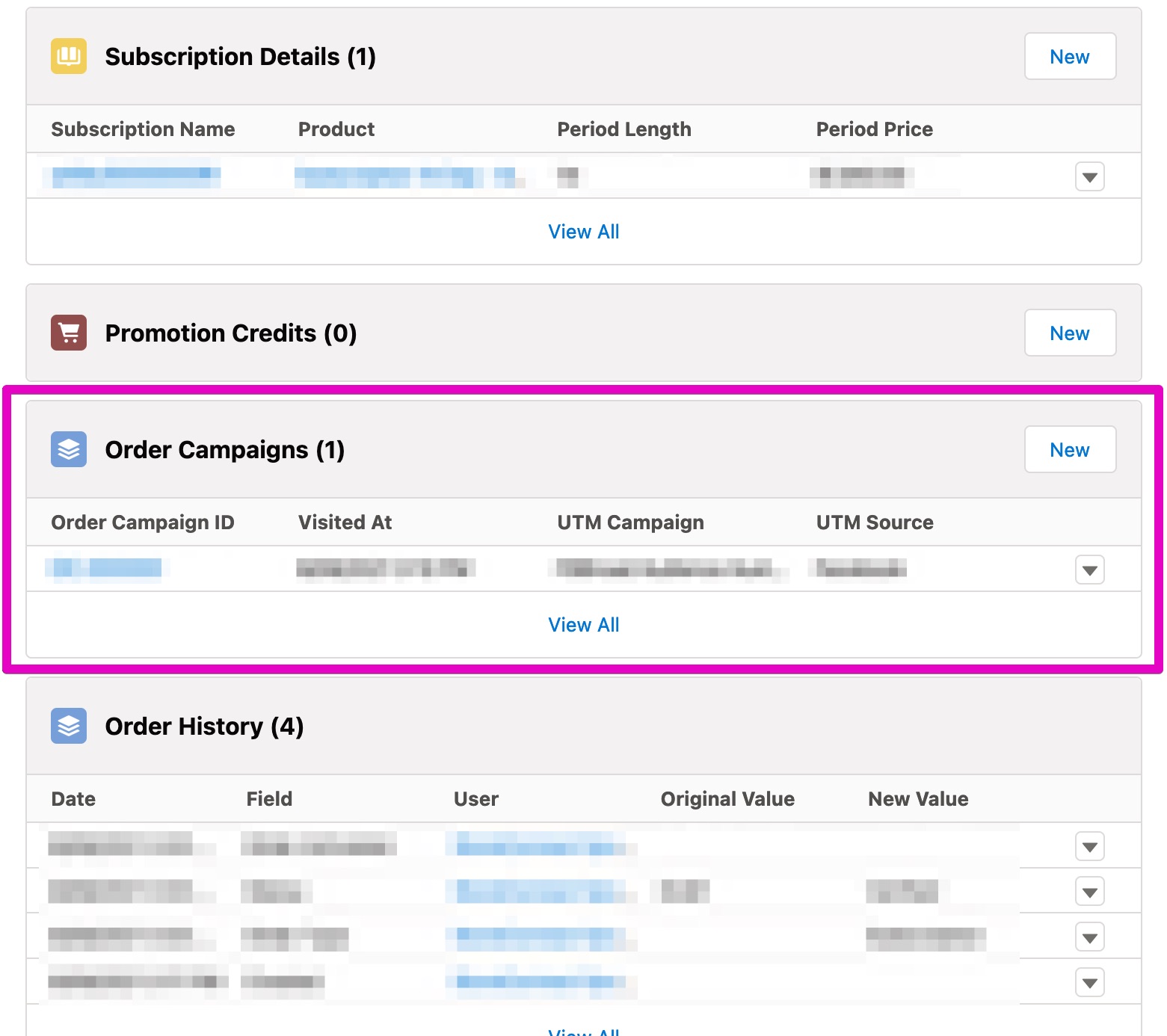
When a visitor places an order, or if the cart is saved as an abandoned cart, the UTM parameters in the cart are saved against the order, viewable through the order campaign related list in the order layout. This is how campaigns can be tracked from the referral through to order.
As the UTM campaign information is now tied to a specific order, it will end up being a very accurate set of ad source cart attribution data for you to properly optimize your ad spend without having to compile reports from multiple ad providers.
Using UTM codes with your store
:::note UTM codes are shown in the Order Campaigns related list, on the default StoreConnect order page layout. If you use a custom page layout, you need to add Order Campaigns to your custom order page. How to change page layouts. :::
To use UTM tracking, build a tagged URL and use it in your campaign. When a customer clicks it and places an order, the campaign data is recorded automatically.
- Take any product or page URL from your store.
-
Append your UTM parameters to the end, starting with
?and separating each parameter with&. For example:https://shop.example.com/products/your-product?utm_source=email&utm_medium=email&utm_campaign=spring_sale - Use this full URL in your email, ad, or social post in place of the plain product URL. When the customer clicks the URL and places an order, the UTM details are recorded on the order record in Salesforce.
- To view the details, go to the order and open the Order Campaigns related list under Additional Relationships to view the source, medium, campaign, and any other parameters captured from the visit.
:::tip
To test end to end before going live, open your store with a URL such as https://shop.example.com/?utm_source=test&utm_medium=email&utm_campaign=utm-check, add a product to the cart, complete a test order, and confirm the values appear on the Order Campaigns related list.
:::
UTM tracking and privacy compliance
If you have enabled Privacy Compliance for your store, UTM tracking will not work unless you have a cookie record for UTM Tracking and the visitor accepts that cookie.
Troubleshooting
Use these checks when orders arrive without the campaign values you expect.
- Only the six parameters above are captured, in lowercase.
utm_sourceis captured;UTM_Source,sourceand any other parameter name is ignored. Google Ads auto-tagging adds agclidparameter, not UTM parameters, so auto-tagged clicks are not attributed on the order. Turn on manual tagging in Google Ads, or add the UTM parameters to your tracking template, so the click carriesutm_source,utm_mediumandutm_campaign. - The parameters must reach the storefront URL. A redirect between the ad and your store, such as a link shortener or a domain-level redirect, can drop the query string. Open the final landing URL in the browser and confirm the
utm_parameters are still present. - Attribution is tied to the browser session. The values are stored in the visitor’s session, so a customer who arrives on one device and checks out on another, clears cookies, or comes back after the session has expired carries no UTM values. See About carts: statuses, sessions, flows for how sessions behave.
- The cart has to change after the visitor arrives. UTM values move from the session to the cart when an item is added or a quantity changes. A visit that happens after the last change to the cart is not written to it, so its campaign does not reach the order.
- Privacy compliance is blocking the capture. If your store uses Privacy Compliance, a Cookie record named
STORECONNECT_UTM_TRACKINGmust exist, and the name must match exactly. A visitor who declines that cookie is not tracked, unless the cookie sits in a compliance group marked as required, in which case it applies without acceptance. See Cookie management and privacy compliance. - The related list is not on the page layout. The values are stored on Order Campaign records related to the order (and Cart Campaign records related to the cart). If the related list is missing from your layout, the data is there but not visible. See Order Campaign object reference for the fields.
Was this article helpful?
Thanks for your feedback! It helps us improve our docs.