

Using content blocks
On this page
Content blocks are the building blocks of a StoreConnect site. They hold the content of your pages, and let you reuse styles and content across a store.
Which fields on the Content Block record do anything depends on the Content Template you choose. The record shows every field regardless, so a field you fill in on the wrong template is simply ignored at render time, with no warning.
For the fields each template uses, see content block templates and content block containers, both in this section.
No added styling
A block with Content Template set to No added styling uses only Content Block Name, Identifier, and Content. No other field on the record is rendered, and child content blocks are ignored.
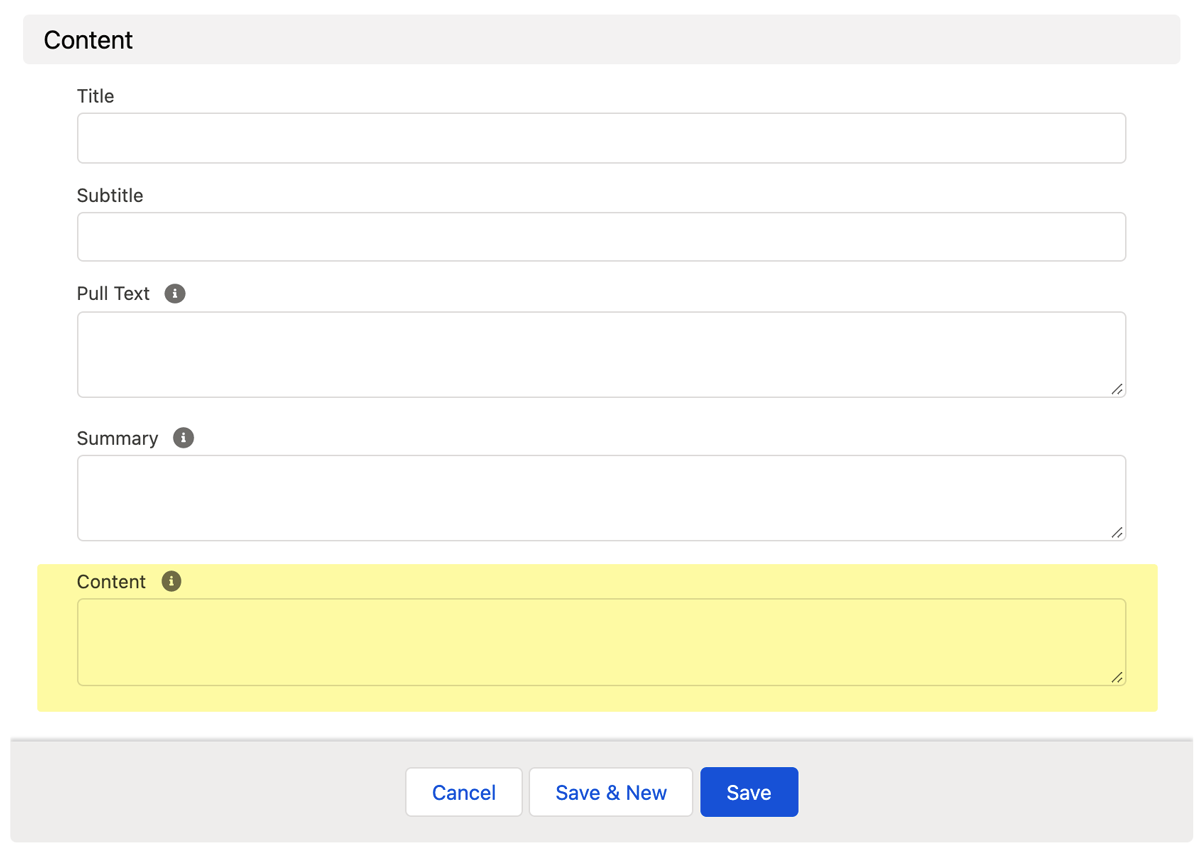
You can still render child blocks from this template, but you have to call them yourself with Liquid. See rendering content blocks with Liquid.
Container
A block with Content Template set to Container uses only Layout Style, Title, and Subtitle.
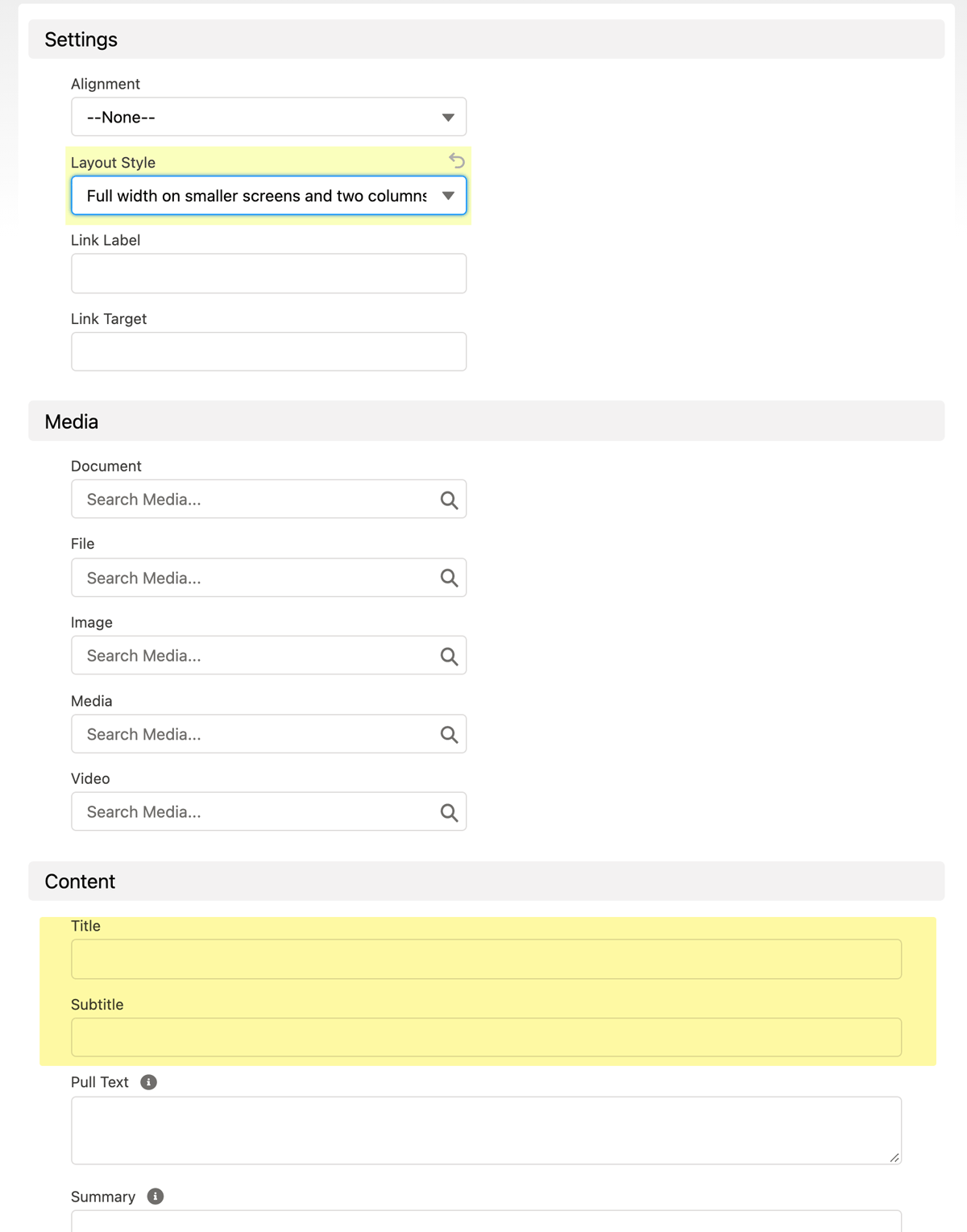
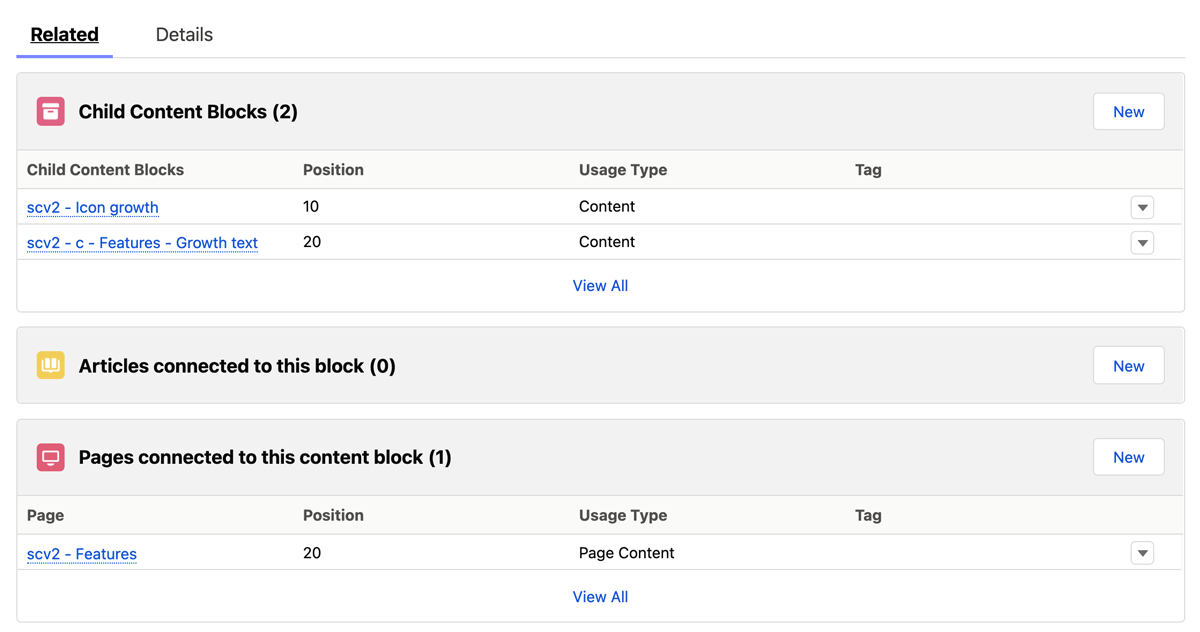
Its child blocks come from the Child Content Blocks related list on the Related tab, not from the Content field.
In this section
- Content block templates
- Content block containers
- Using CSS with content blocks
- Adding your own custom content block templates
- Adding third party widgets and code blocks
- Arrange content with nested content blocks
- Feature products on a page
- Name content objects
- Render content blocks using Liquid
- Using markdown for StoreConnect content
Was this article helpful?
Thanks for your feedback! It helps us improve our docs.