

POS fulfillment stations
On this page
Fulfillment stations split a single POS order across separate physical preparation areas, each of which can have its own staff, screen, and printer.
Use this topic if your outlet prepares one order in more than one place. For example, a restaurant might route hot food to a kitchen and drinks to a bar; a cafe might split a coffee counter from a bakery counter; a garden center might separate a plant desk from a heavy goods yard. There is no standard shape. Stations describe whatever preparation areas your outlet actually has, however many of them there are.
When an order is fulfilled, every item is routed to one station based on the product’s fulfillment category and the outlet’s routing configuration. Each station only sees and prints the items it is responsible for, so one order can be prepared in parallel across separate areas.
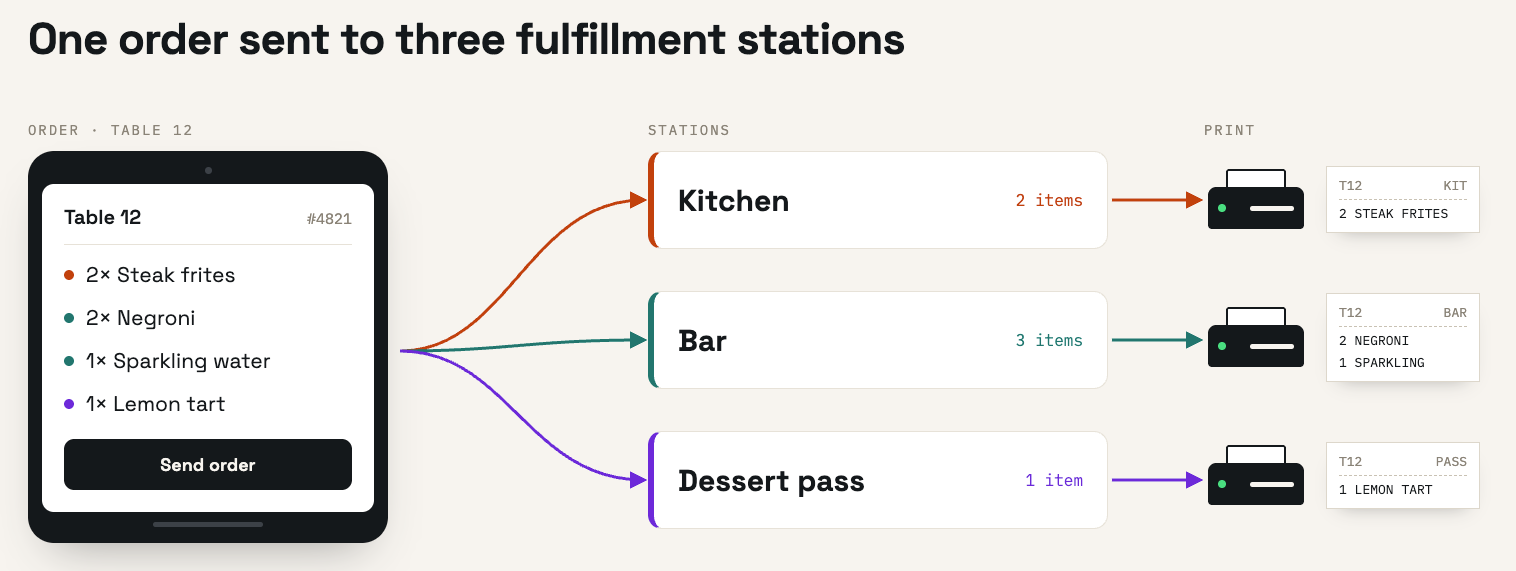
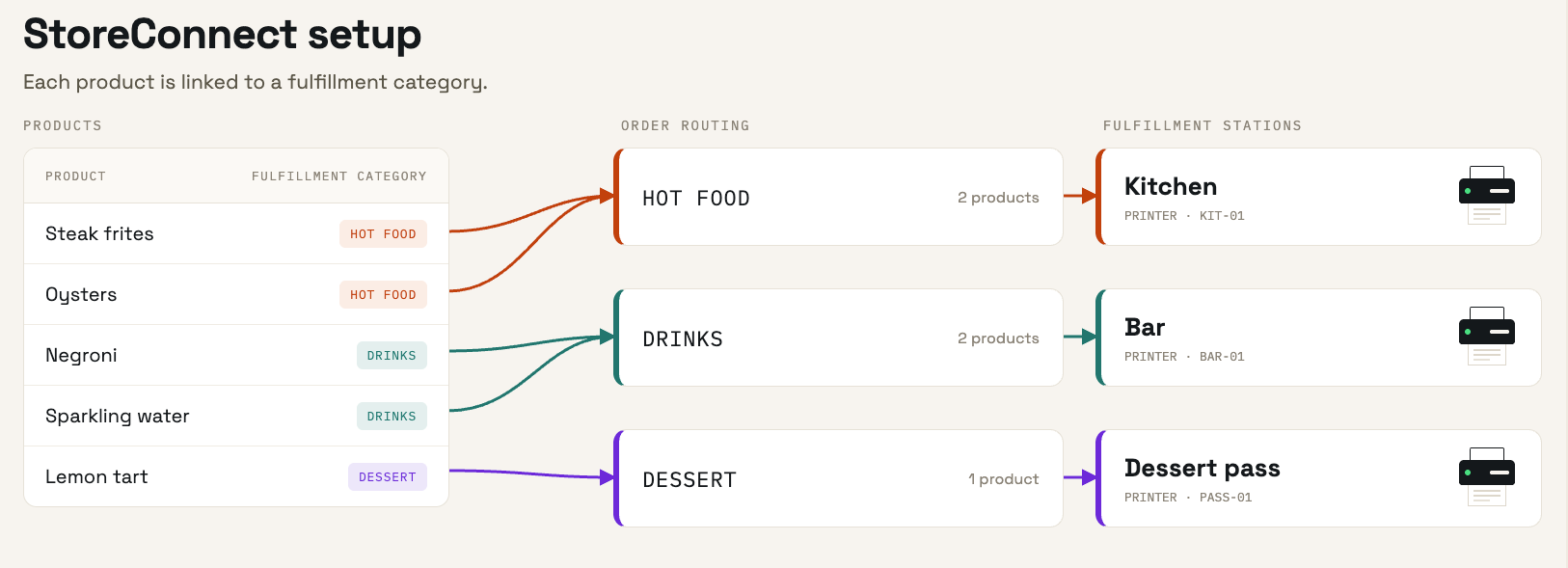
Each station receives its share of the order as a station ticket, and the printed copy of a ticket is a docket. A station ticket is not a separate kind of record. It is a Shipment (s_c__Shipment__c), the same object that records shipping and pickup for online orders, with its Fulfillment Station field set to the station the ticket was routed to. When this section refers to a fulfillment, it means that Shipment record.
Fulfillment stations are configured per outlet, so different outlets can run completely different station setups.
In this section
- How fulfillment stations work — the records involved, how each item is routed to a station, the prep lifecycle, and what operators see on a screen
- Configure POS fulfillment station routing — create the categories, stations, and mappings in Salesforce, with a worked restaurant example
- Set up station tickets on a register — enable the station screens on a tablet, pick the station ticket template, and assign printers to each station
- Print station tickets over the network — use the StoreConnect Android app to reach Wi-Fi, LAN, and Bluetooth printers from a tablet
- Track station ticket printing — the records and fields StoreConnect sets when a station ticket prints
- Test fulfillment stations — verify routing, printing, and the prep lifecycle before going live
- Troubleshoot fulfillment stations — diagnose unrouted items, missing dockets, and stations that stop taking work
Staff who work a station during service want work station tickets instead, and whoever watches the whole outlet wants monitor stations across the outlet. Both are in the POS operations section.
How each station receives its work
How a station is told about its items is a setup choice, and it can differ from station to station in the same outlet. A station can:
- Print a docket, at a printer assigned to it. The printer does not have to be attached to the device that sends the docket: on the StoreConnect Android app, one tablet can hold a print connection to a separate LAN printer for each of several stations, so a single device serves the whole venue. See Print station tickets over the network.
- Show tickets on a screen, on a device signed in to the register the station is assigned to. Staff there work the tickets through their prep stages.
- Do both, printing a docket and showing the same tickets on a screen.
So one venue might run a bar that takes its orders on a tablet, a kitchen that gets nothing but a printed docket, and a counter register that simply sees the order update as items are prepared. All three are the same routing behaving as configured.
What stations do not do
Knowing the boundaries avoids a lot of wasted diagnosis.
- No automatic re-routing. Degrading a station mid-shift only affects new tickets. Existing tickets stay where they are until an operator moves them.
- No cross-outlet routing. Every station must belong to the fulfillment’s own outlet.
- No role gating. Every operator who can reach a station surface can perform every station action. Confirmation modals provide the friction, and the opt-in surfaces let admins control who sees stations at all.
- No customer-facing signal. Routing is invisible to the shopper. The only observable outcome is which station each fulfillment is assigned to.
- No errors on bad configuration. Missing or misconfigured routing data never raises an error. An item that cannot be routed is simply left unassigned, which is why testing matters.
Was this article helpful?
Thanks for your feedback! It helps us improve our docs.